
EasyManua.ls Logo

QUICKCLOCKS QC500N - User Manual

QUICKCLOCKS QC500N
19 pages
To Next Page IconTo Next Page
Loading...
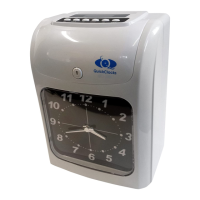
QC500N Clocking in Machine
Operation Manual

Questions and Answers

QUICKCLOCKS QC500N Specifications

General IconGeneral
BrandQUICKCLOCKS
ModelQC500N
CategoryClock
LanguageEnglish

Summary

Introduction

Package Contents

Lists items included in the machine's packaging.

Parts Identification

Details physical components of the clocking machine, including keypad and LCD.

Function Options

Quick Codes Selection

Overview of shortcut codes for machine functions like time setting.

Detail Codes Selection

Detailed breakdown of codes for specific function settings and options.

Opening the Case

Function Setting

Setting the Year

Procedure for configuring the current year on the clocking machine.

Setting Month and Date

Steps to set the current month and day for accurate timekeeping.

Setting Time System

Configuration options for the 12-hour or 24-hour time format.

Setting Hour and Minute

Instructions to set the current hour and minute accurately.

Setting Pay Period Ending

Configures monthly, weekly, and bi-weekly pay period end dates.

Setting BST;EST Periods

Configuration for BST/EST start and end times and dates.

Setting Printing Positions

Adjusts the vertical (Up/Down) and horizontal (Left/Right) print alignment.

Setting Time Signals

Configures audible time signals and shifting schedules for employee attendance.

Setting 2-Color Printing

Configures the machine to print in red and black based on time.

Trouble Shooting

Replacing The Ribbon Cartridge

Precautions

Specifications

Error Code