Quicksilver 555CAB — System & Component Overview and Operaon
23
10. Stereo (oponal)
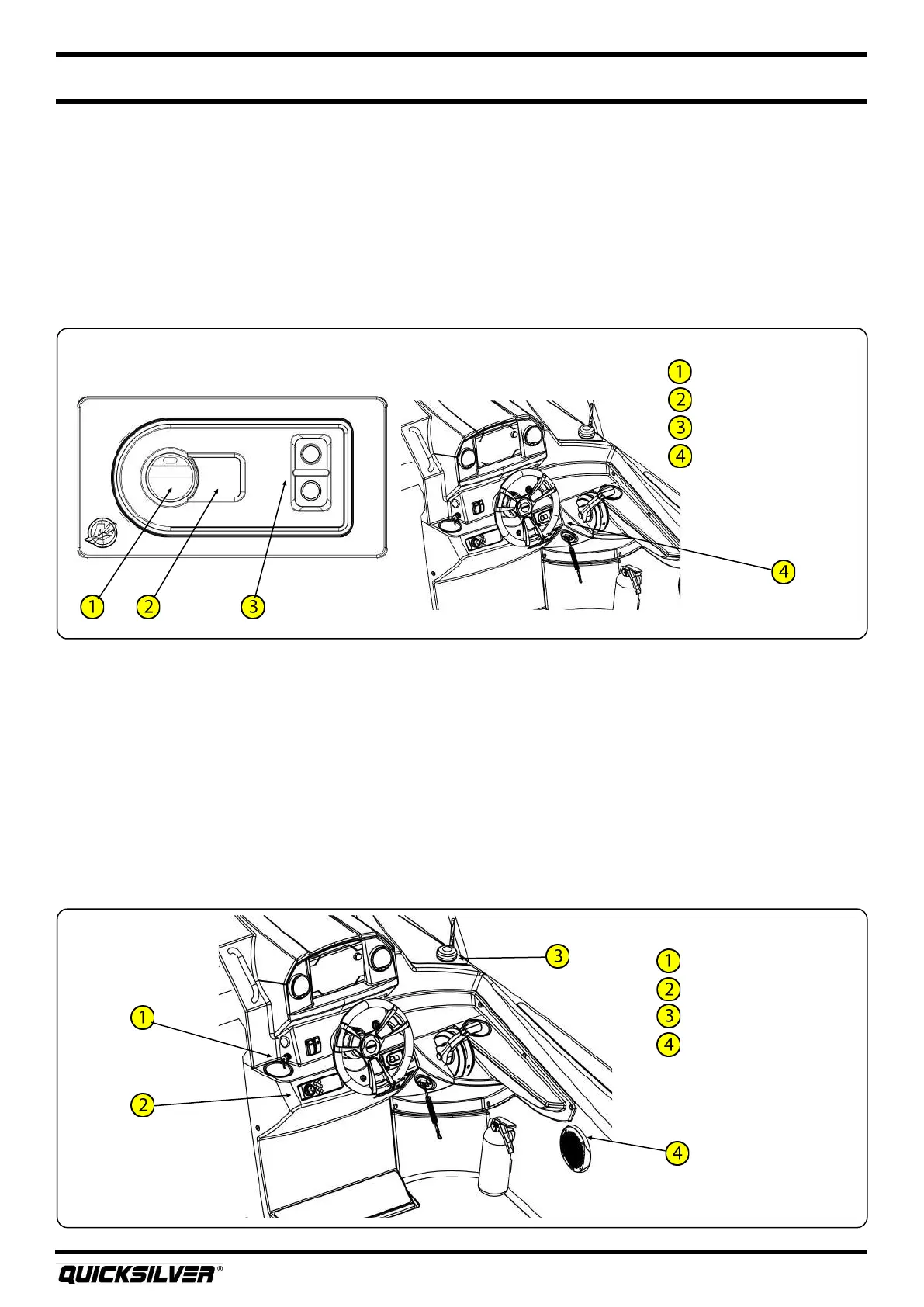
Your boat may come equipped with an AM/FM stereo with Bluetooth®. The stereo unit and USB are
located on the dash. The USB port allows you to connect an external music player for music playback
through the boat’s stereo. Alternavely, you can playback music via the Bluetooth® sengs on your
external music player.
In certain countries, radio signals are broadcasted digitally. Quicksilver® oers a DAB antenna, where
required, for recepon of digital broadcast signals.
There are two speakers on the boat, located on the deck walls port and starboard of the console.
Refer to the manufacturer’s manual for complete instrucons and warranty.
USB port
Stereo
DAB Antenna
Speaker (P&S)
Stereo
9. Acve Trim (oponal)
Your boat may come equipped with the Acve Trim system from Mercury. Acve Trim automacally
adjusts the engine trim based on boat speed to opmize performance and fuel economy. The system
allows for the owner to either use the default system programmed, or create their own trim prole.
At anyme the user can override the automac trim system by simply pressing the trim buon on
the shier.
The Acve Trim keypad is located on the starboard side of the dash. Refer to the manufacturer’s
manual for complete instrucons and warranty.
On/resume buon
O buon
Prole selecon
Acve trim keypad
Acve Trim



 To Next Page