EasyManua.ls Logo

QView QD3900 - Page 8

Default Icon
24 pages
Print Icon
To Next Page IconTo Next Page
To Previous Page IconTo Previous Page
Loading...
7
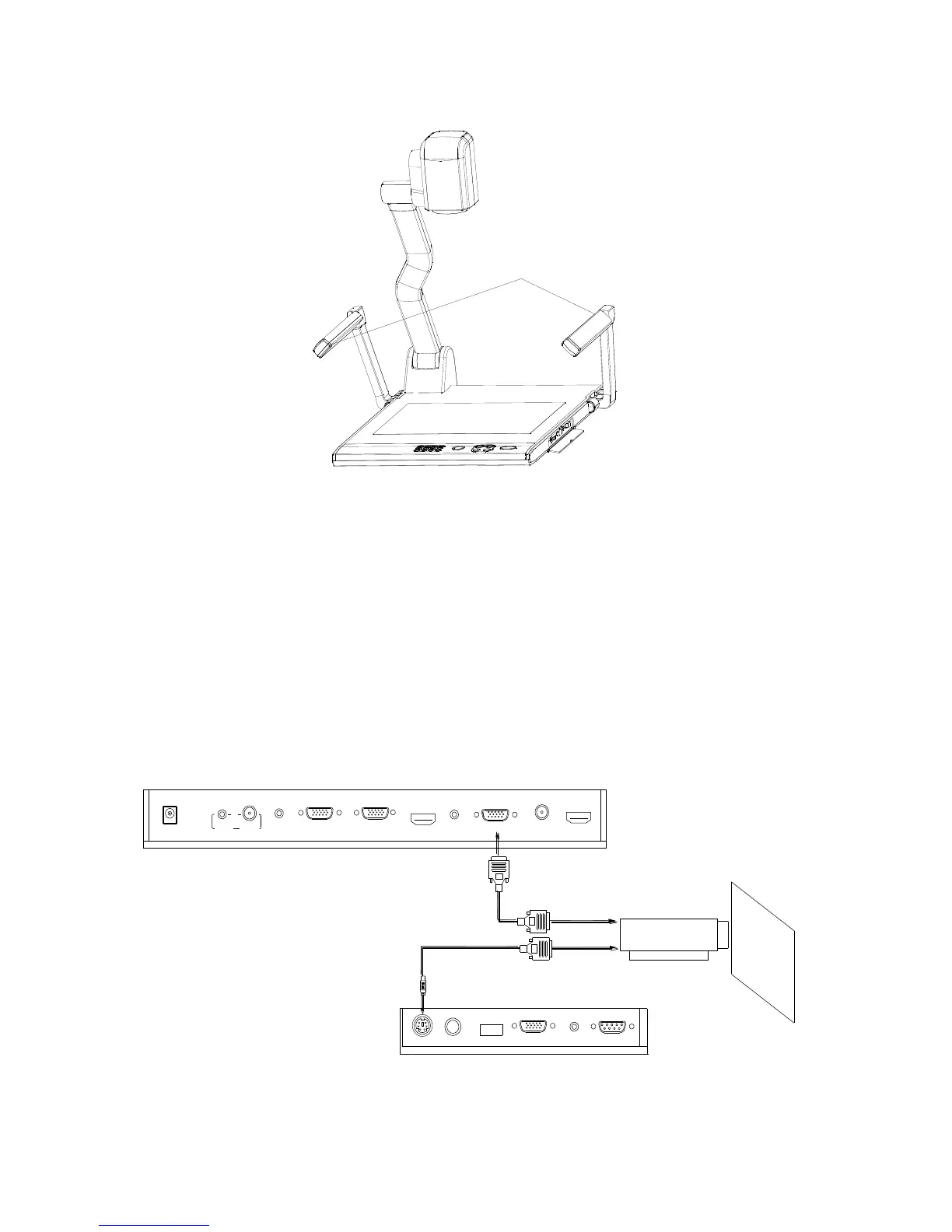
2. Open the arm lights and rotate the camera head until they are properly
positioned.
Arm lights
3. Making connections:
Before making any connections, turn off all the power. Please ensure that
the visualizer along with all other equipment to be connected are turned off.
Step 1: Connect power source.
First connect the power cord to the 12V IN connector.
Step 2: Connect to the projector.
12
USB
PROJECTOR
MIC
16
RGB IN AUDIO IN
RS232
Side Panel
13
14
15
17
1
2
3
4
6 7
8
5
DC 12V IN
VIDEO
IN
AUDIO
AUDIO IN
COMPUTER IN PROJECTOR
COMPUTER OUT
HDMI IN
AUDIO OUT
VIDEO OUT
HDMI OUT
9
10
11
Projector
RGB Input
Screen
RS232 Cable
Rear Panel
Connect the PROJECTOR port to the projector‟s RGB IN port using the
RGB cable. You can also control a projector using the controls on the
visualizer by connecting the projector to the visualizer using a 6-pin to 9-pin