Function List Description Available Option
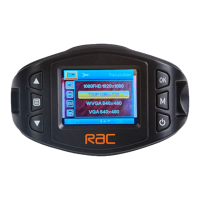
Setting for video resolution.
FHD 30fps
HD 30fps
Set the photo resolution.
5M is the default one.
3M / 5M / 8M / 12M
Setting for enabling automatic loop record
and the video clip time.
Off - The recording will stop when the SD
card is full.
1min / 3min / 5min – Select segment
recording time. For example, the
recording time is 3 minutes. If 21 minutes
of video is recorded, then 7 segments
each of 3 minutes in length will be created.
3min is the default one.
Off / 1min / 3min /
5min
Setting the recording time for
detected motion in front while
standby.
5sec / 10sec / 30sec
Setting to enable / disable recording
and video voice.
On – Recording and Video has voice
and it’s the default one
Off – Recording and Video no
voice.
On / Off
Manual compensation for low or bright
light levels. The more negative “-“ in scale,
the darker the recorded video appears. The
more positive “+”, the lighter the recorded
video appears. 0 is the neutral setting
for this option and is the default value.
-2.0 / -1.66 / -1.33
/ -1 / -0.66 / -0.33 /
0 / +0.66 / +1 / +1 /
+1.33 / +1.66 / +2.0
Video Mode
09
RAC 210 Full HD Dash Cam
Still Image Size
Audio Record


 To Next Page