®
J33
™
User Guide
Radial Engineering Ltd.
True to the Music
5
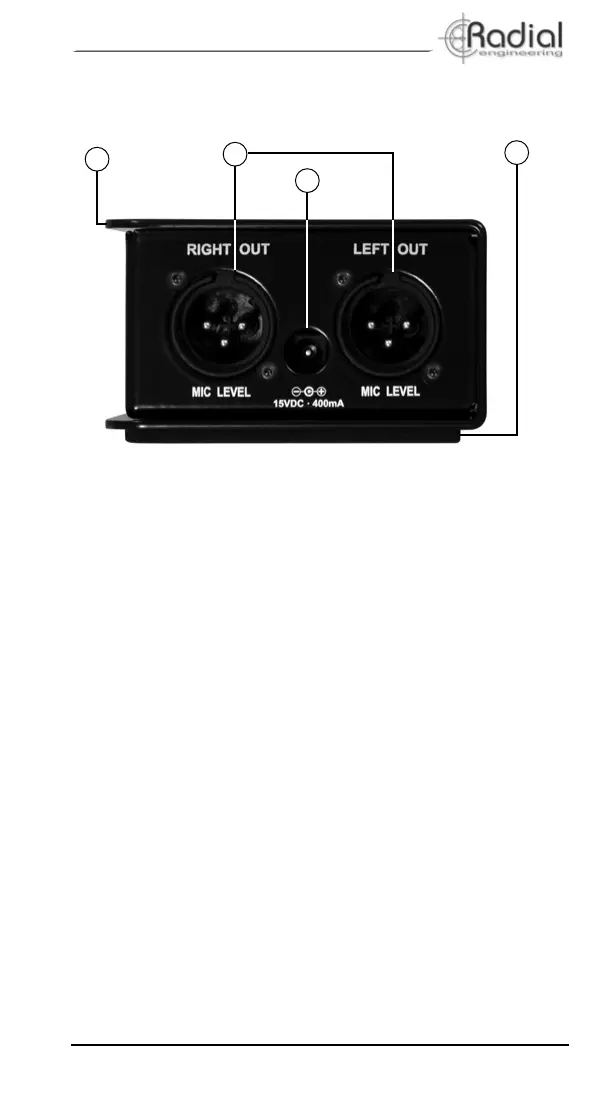
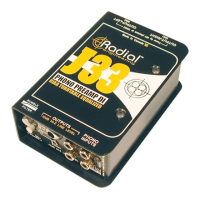
OUTPUT PANEL FEATURES
6. Bookend design
14 gauge steel outer shell creates protective zone around
connectors and switches and wraps around a welded case with
I-beam construction for maximum durability. Finished in tough
baked enamel.
7. Left and right XLR outputs
Balanced low impedance (600Ω) microphone level outputs.
Connects to mic input on mixing console.
8. 15VDC power supply connection
The 15VDC power supply is connected here for powering the J33.
There is no power switch and leaving the J33 on will not harm it.
This jack is not used if the J33 is powered with phantom power
from a mixing console. When switching from 48V phantom power
to the external DC supply, or back, please wait 15 seconds to
allow the RIAA amplier to charge and stabilize.
9. Full-bottom no-slip pad
This provides electrical and mechanical isolation plus plenty of
"stay-put" friction to keep the J33 in one place.
9
10
11
8


 To Next Page