
 Need help?
Do you have a question about the Radial Engineering PZ-PRO and is the answer not in the manual?
Covers the three footswitches for stage performance control.
Variable EQ with bass, semi-parametric mid, and high controls for each input.
Three-position switch and control for notch or high-pass filtering.
Footswitch to cut all outputs except Tuner Out for quiet tuning.
Assignable footswitch for FX Loop, Boost, or both.
Switches for 10dB boost and increased impedance for piezo pickups.
Buffered 1/4" output for connecting a tuner pedal.
1/4" TS output for feeding a stage amplifier.
Describes the balanced XLR outputs for PA or monitoring.
Covers Tuner Out and Mute footswitch for quiet tuning.
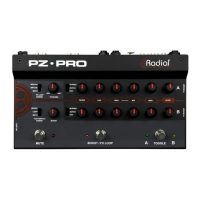
The Radial PZ-Pro is a dual-channel instrument preamplifier designed for comprehensive control over your sound, offering both microphone and instrument connections, along with footswitch controls to streamline on-stage changes during a performance.
The PZ-Pro serves as a versatile preamplifier for acoustic instruments and microphones, allowing musicians to connect two separate sound sources simultaneously. It features two 1/4" input jacks for instruments and a dedicated XLR microphone input for channel B, enabling blending of instrument pickups with clip-on microphones or use with vocal mics. Each input channel is equipped with independent EQ and Filter sections for precise tone shaping. The device also integrates an EFX Loop for connecting guitar effects pedals, which can be assigned to affect Input A, Input B, or both. A clean Boost function provides up to +15dB of gain for cutting through the mix during solos.
For output, the PZ-Pro offers two balanced XLR DI outputs (Pre EQ and Post EQ) to feed PA systems or recording interfaces, an unbalanced 1/4" Amp Out for stage amplifiers, and a buffered 1/4" Tuner Out for quiet on-stage tuning. Footswitches provide real-time control for toggling between inputs, activating the EFX Loop or Boost, and muting all main outputs for silent tuning or instrument changeovers.
The PZ-Pro features two 1/4" inputs (Input A and Input B) on the rear panel, allowing for connection of two instruments or blending multiple pickup types. Each input has a corresponding Level control, providing unity gain at 12 o'clock and up to +20dB of gain when turned fully clockwise. If only one instrument is connected to Input A, it automatically feeds into Input B (when the Mic On switch is disengaged), allowing both channels to be used for a single instrument, effectively creating a two-channel amplifier experience. This enables switching between different Level, EQ, and Filter settings for verse and chorus sections, for example.
Each 1/4" input is equipped with a special PZ Boost circuit, activated by recessed side-access switches. Engaging these switches raises the input impedance from 220k Ohms to 10Meg Ohms and applies a +10dB class-A signal boost. This feature broadens frequency response and smooths out transient peaks, particularly beneficial for instruments using piezo transducers. It is safe to experiment with this feature on typical pickup systems.
The PZ-Pro includes a locking female XLR jack for connecting a microphone to Channel B. Activating the "Mic On" switch (next to the XLR connection) overrides the 1/4" instrument input for Channel B. This input can be used for clip-on instrument mics, wireless microphones, or vocal mics. For dynamic microphones, simply plug and play. For condenser microphones requiring phantom power, connect the mic, then press the Mute Footswitch to prevent pops, and finally activate the 48V switch on the rear panel. The Channel B Level control provides up to +55dB of gain when the Mic On switch is active.
Input B is specially designed to accommodate instruments with two pickup systems wired to a single 1/4" TRS (Tip, Ring, Sleeve) output. Using a 1/4" TRS cable, the Tip conductor feeds Channel B, and the Ring conductor feeds Channel A (when nothing is connected to Input A). This allows switching between the two pickups or blending them using the A+B switch.
The PZ-Pro allows blending both input sources by engaging the "A+B" switch on the rear panel. When engaged, both A and B LEDs illuminate, and the Toggle Footswitch is deactivated as both inputs remain active. This is useful for combining the warmth of a microphone with the clarity of a pickup system. The EQ and Filter sections still allow independent tailoring of each input's sound before blending, and the FX Loop and Boost controls can be assigned to affect Input A, Input B, or both.
When summing two signals from the same source, frequency cancellation can occur due to slight time differences. The "Input B 180" switch helps correct this by reversing the polarity on Input B, affecting both the XLR Mic Input and the 1/4" Input on this channel. Users should experiment with both positions to find the best sound, particularly when playing lower notes where cancellation is more noticeable.
Each channel has independent EQ and Filter sections. Channel A controls are on the top row, and Channel B controls are mirrored on the bottom row.
This middle footswitch is assignable via the "Footswitch Assign" control to activate the FX Loop, the Boost, or both simultaneously. Pressing it once activates the selected features (indicated by a red LED), and pressing it again deactivates them. A recessed "Loop On" switch on the left side allows the FX Loop to remain always active, enabling individual control of effects pedals with their own footswitches. When "Loop On" is active, the Boost/FX Loop Footswitch only controls the Boost function.
The Mute Footswitch, when engaged, illuminates a red LED and cuts the signal to all PZ-Pro outputs except the Tuner output. This allows for quiet on-stage tuning or silent instrument changeovers without pops through the PA or stage amplifier.
The PZ-Pro is built with a durable 14-gauge steel construction. The manual emphasizes reading through it to fully utilize all functions and encourages visiting the Radial website's FAQ page for common questions and product updates. For further clarification, users can email support@radialeng.com for prompt assistance. The device is designed for indoor use within temperatures of +5°C to +40°C.
 General
| Type | Acoustic Instrument Preamp |
|---|---|
| Channels | 2 |
| Frequency Response | 20Hz - 20kHz |
| Gain | Variable |
| Effects Loop | Yes |
| Feedback Control | Yes |
| Power Source | 15V DC power supply |
| Output Impedance | 600 Ohms (XLR out) |
| Inputs | 2 x 1/4" (instrument), 2 x XLR (microphone) |
| Outputs | 1 x XLR, 1 x 1/4" |
| Phantom Power | +48V (Mic Input) |
| Input Impedance | 10MΩ |


 To Next Page