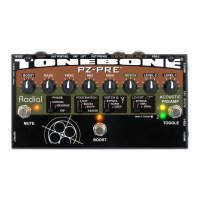
PZ-Pro™
Radial Engineering Ltd.
Table of Contents Page
Overview ................................................................................ 1
Features and Functions .......................................................2-5
Connecting Instruments ......................................................... 6
Connecting a Microphone ...................................................... 7
Blending Inputs with A+B ........................................................ 8
The EQ & Filter Section .......................................................... 9
The FX Loop and Boost ....................................................... 10
The Boost/FX Loop Footswitch ............................................ 11
Connecting Outputs ......................................................... 11-12
The Tuner Out and Mute Footswitch .................................... 12
Specications ....................................................................... 13
.................................................................................................
Warranty .................................................................Back Cover
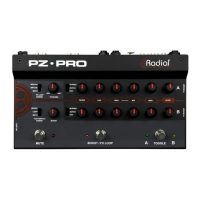
Thank you for purchasing the PZ-Pro, a dual-channel instrument
preamplier designed for ultimate control over your sound,
with both microphone and instrument connections along with
footswitch controls to streamline changes on stage during a
performance.
The PZ-Pro is packed with features, and oers a number of ways
in which it can be used. To fully utilize all the possible functions
of PZ-Pro, please take a moment to read through this manual,
which details each feature and outlines their use. If afterwards
you still nd yourself with questions, visit the FAQ page on the
Radial website. This is where we post questions from other
users along with product updates. If you still require clarication
feel free to send an email to support@radialeng.com and we will
do our best to respond promptly.
RADIAL PZ•PRO
USER GUIDE



 To Next Page