Radial Engineering Ltd.
Voco-Loco™ Preamp Loop
True to the Music
®
3
MAKING CONNECTIONS
As always, ensure volume levels are turned off before making
connections. This avoids turn on and connection transients that can
cause a loud pop in the PA system which could damage more sensitive
components such as tweeters. The Voco-Loco does not have a power
switch. As soon as you connect the 15V power adaptor it will turn on. The
footswitch LED’s will illuminate if depressed indicating the Voco-Loco is
powered and ready for use.
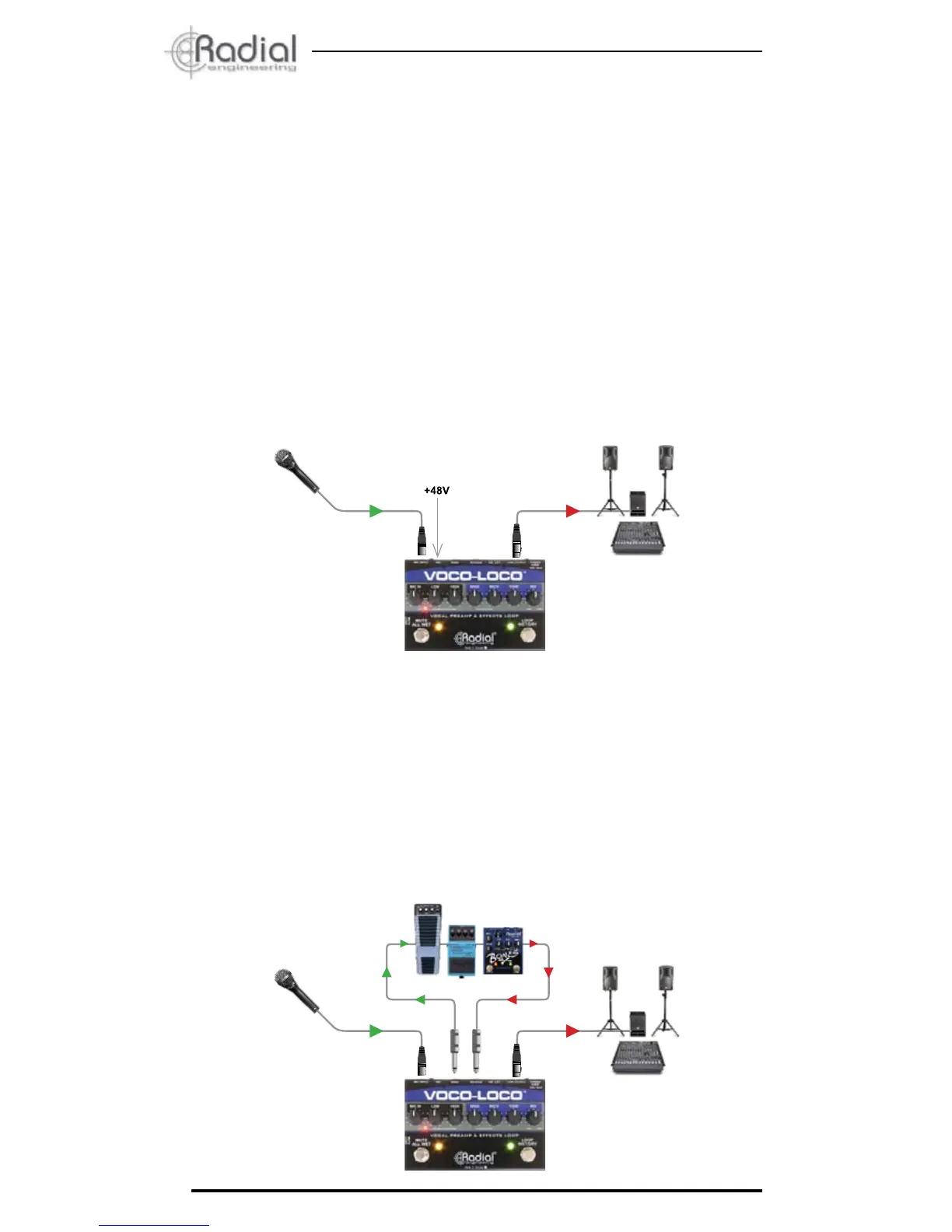
Connect your microphone to the Voco-Loco’s XLR-female input. If you
are using a condenser microphone, activate the 48V phantom power by
depressing the rear panel switch. This is recessed in order to prevent
accidental turn on which could cause a loud pop in the PA system. Use a
small screwdriver to activate the phantom power. The +48V LED indicator
on the top panel will illuminate when phantom power is on.
Connect the XLR output to a mic input on your PA system. The Voco-
Loco’s output level will work equally well with a mic or line level input.
If you hear distortion, lower the level on the Voco-Loco or reduce the
sensitivity of the mixer’s input channel.
Connect your pedals from the ‘SEND’ jack to the pedal chain and back to
the Voco-Loco via the ‘RECEIVE’ jack using standard ¼” guitar cables.
Effect pedals such as a distortion or phase shifters are generally used
before time-based effects such as a reverb or delay, but these are merely
conventions. Try different setups and have fun. There are no rules.


 To Next Page
 Loading...