RD-30 Operations Manual
Operations Overview
22
4.13 Built-inComputer
For RD-30s ordered with the Built-in Computer option, the display screen is a color active, QVGA
LCD. The diagonal display size is 14.4 cm (5.7”). The display’s pixel format is 320 (H) x 240
(V) and the display is backlit with a single CCFT.
The RD-30 display incorporates “touch screen” technology that allows the user to easily ma-
nipulate the display. The RD-30 is shipped with a stylus to be used in conjunction with the touch
screen.
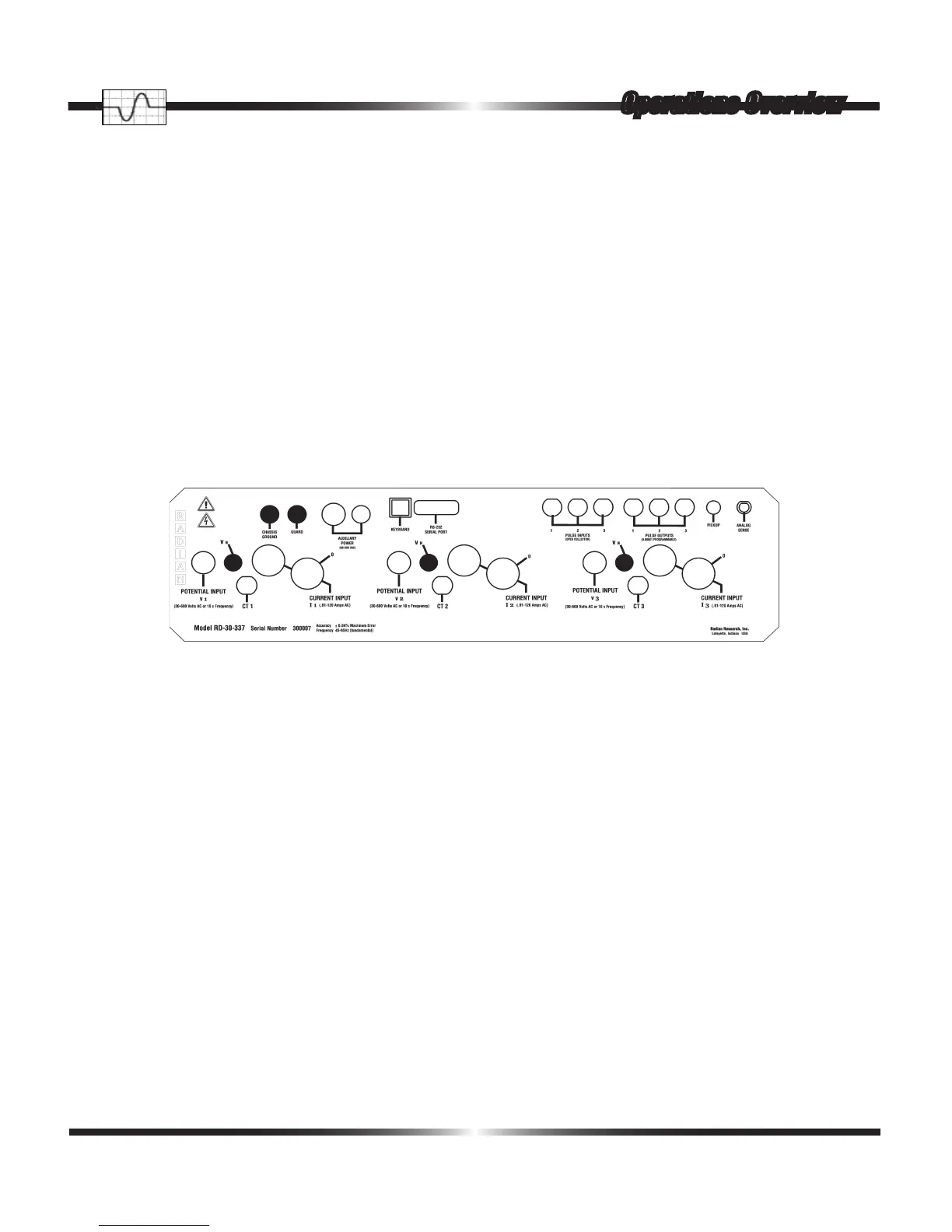
Guard– should be tied to the common of the Wye source for Wye usage and left to oat in Delta
use applications. Because the Analog Sense is common with the Guard ground, care must be
taken to avoid ground loop problems.
V
1,2,3
/V
N
– the three V
N
connections should be tied together, via twisted wire pair, with their as-
sociated Potential Inputs (V
1
, V
2,
V
3
). At the Device Under Test (DUT), each V
N
should be broken
out from its associated twisted wire pair and each tied to the DUT Neutral with the three Potentials
(V
1
, V
2
, V
3
) tied to the three Potential connections of the DUT. The three Potentials (V
1
, V
2,
V
3
) of
the DUT should be tied to the associated three Potentials of the source. If using a Wye source, the
Neutral from the DUT, containing the three V
N
s, should be tied to the Wye source neutral. If using
a Delta source, the DUT Neutral, containing the three V
N
s, should be allowed to oat.



 To Next Page