RD-30 Operations Manual
31
The full model number and serial number of the RD-30 appear in the upper portion of the RR-
MobileSuite window. Single tapping on any of the icons automatically launches that specic test,
measurement, or conguration function. Only one test or measurement application can run a time.
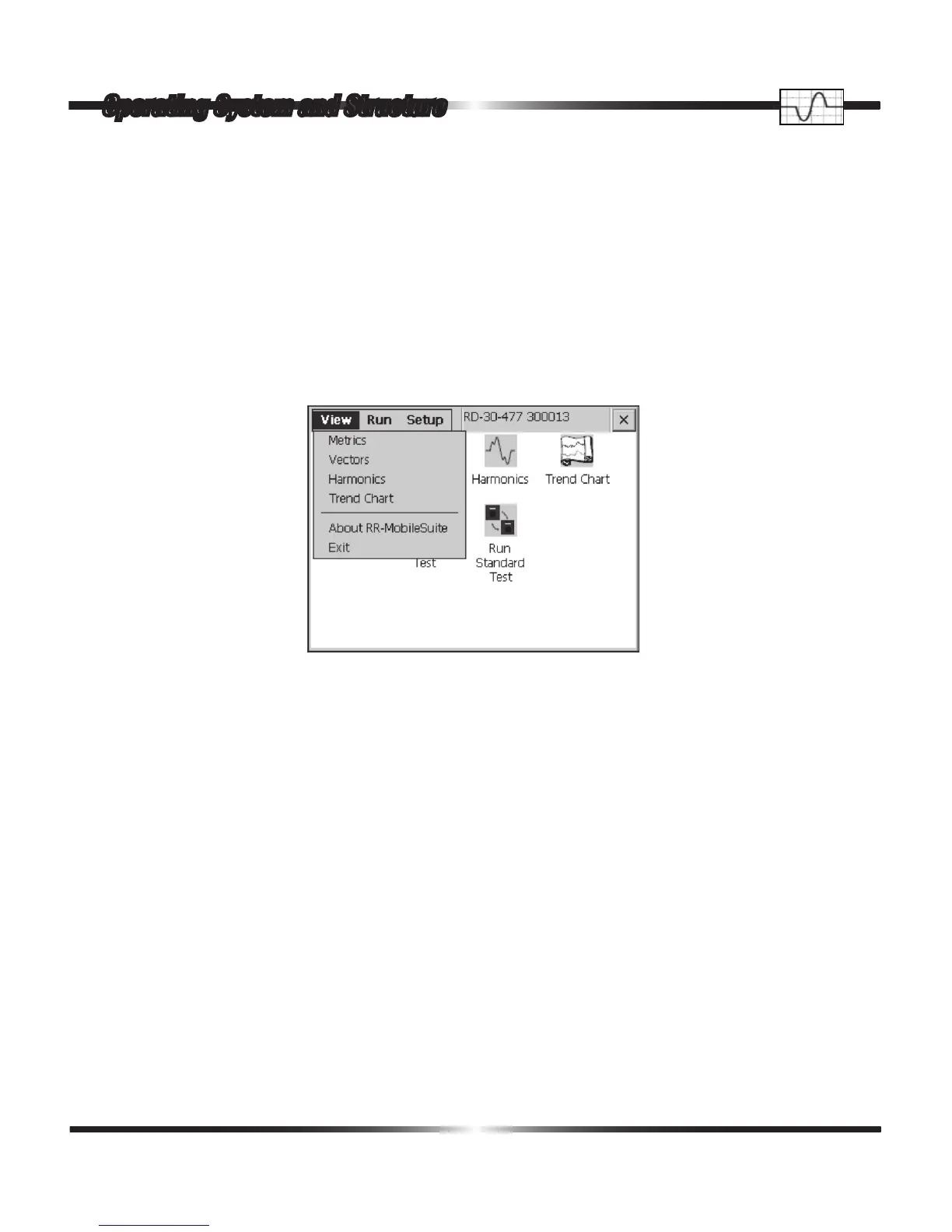
A single tap on the View menu at the top left of the of the RR-MobileSuite start-up window opens
a pull down menu appearing as follows:
From the pull down menu, the user has the option to view Metrics, Vectors, Harmonics, and the
Trend Chart. The View tab affords the operator the same functions as if they had tapped the cor-
responding icon in the RR-MobileSuite start-up screen. In addition to the measurement functions,
the View tab also provides the user the option to review pertinent information about the version of
RR-MobileSuite they are running and an alternative means exit to the program.
Operating System and Structure


 To Next Page