RD-30 Operations Manual
43
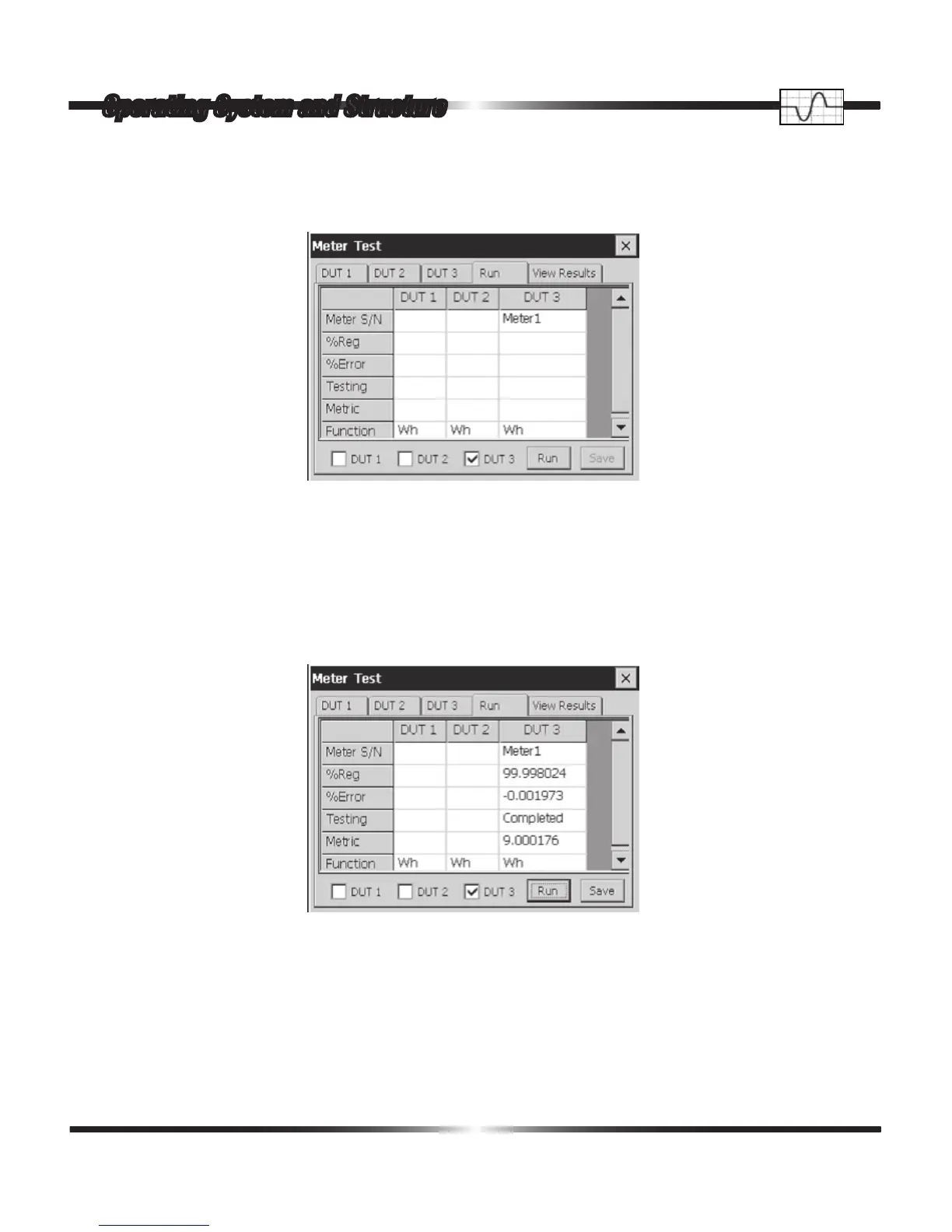
In the Run tab the user veries the Meter S/N and the Function to be tested before the test is
started. To begin the test, the user selects the DUT and then taps the Run button.
At the conclusion of the test, the Run window is lled in with data as in the following window.
A single tap on the Run tab opens the following window.
The Percent Registration, Percent Error, Test Status, Metric Value, Function Tested, Minimum Per-
cent Registration, Minimum Percent Error, Minimum Percent Pulses, Minimum Percent Metric,
Standard Deviation of Percent Registration, Standard Deviation of Percent Error, Standard Devia-
tion of Number Pulses and Standard Deviation of the Metrics being tested are reported.
Operating System and Structure


 To Next Page
 Loading...
