RD-30 Operations Manual
47
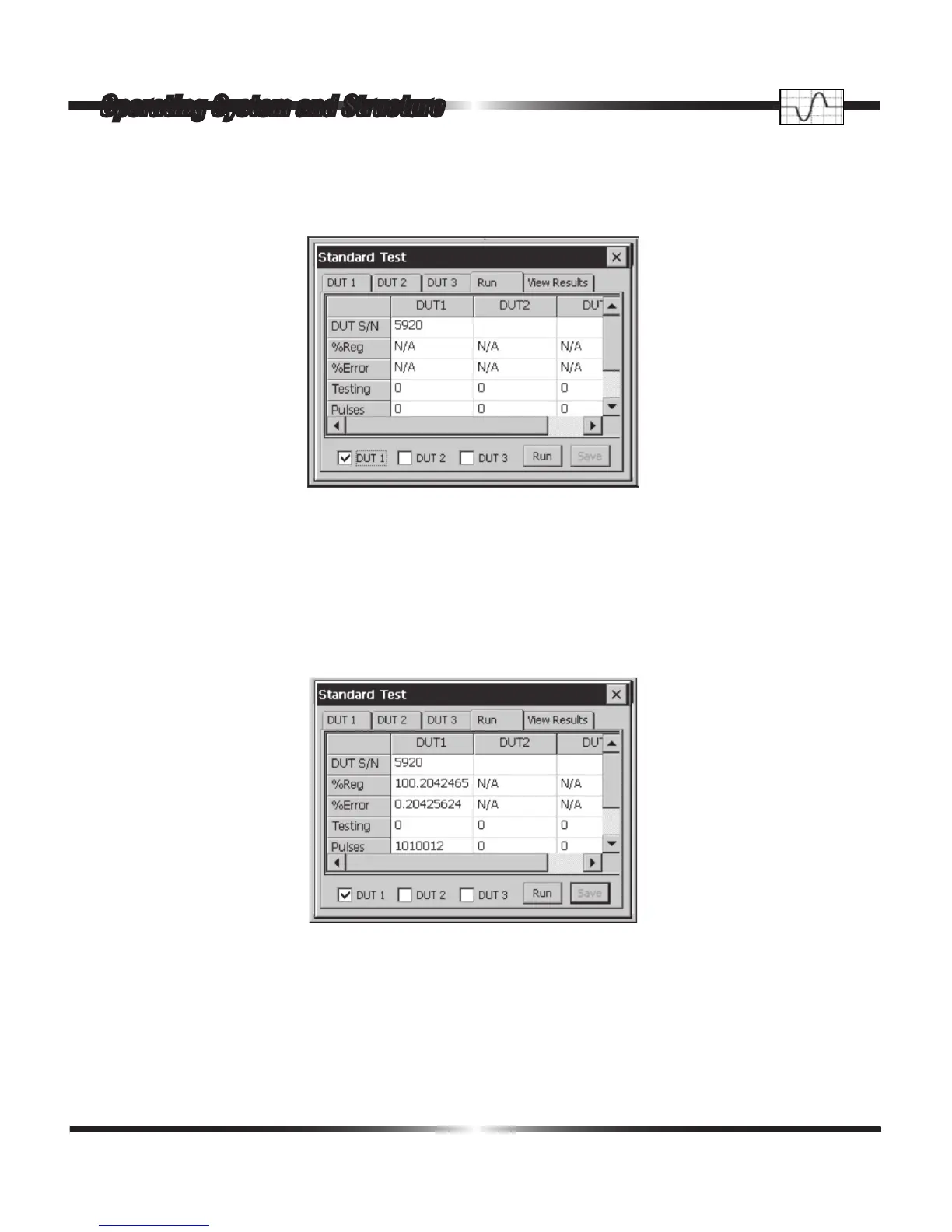
Once the Standard Test(s) has been dened, a single tap on the Run tab opens the following win-
dow.
In the Run window the user veries the serial number(s) of the device(s) under test and to also
select, by checking, which, if not all, device(s) under test to run. One to three single phase and/or
polyphase standards may be tested at a time. To begin the test, the user taps the Run button.
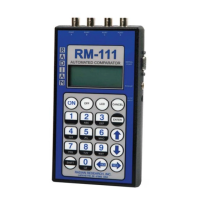
At the conclusion of the test, the Run window is lled in with data and test specic information as
in the following window.
The Percent Registration, Percent Error, Test Status, Metric Value, Function Tested, Minimum Per-
cent Registration, Minimum Percent Error, Minimum Percent Pulses, Minimum Percent Metric,
Standard Deviation of Percent Registration, Standard Deviation of Percent Error, Standard Devia-
tion of Number Pulses and Standard Deviation of the Metrics being tested are reported.
Operating System and Structure



 To Next Page