MAINTENANCE INSTRUCTIONS
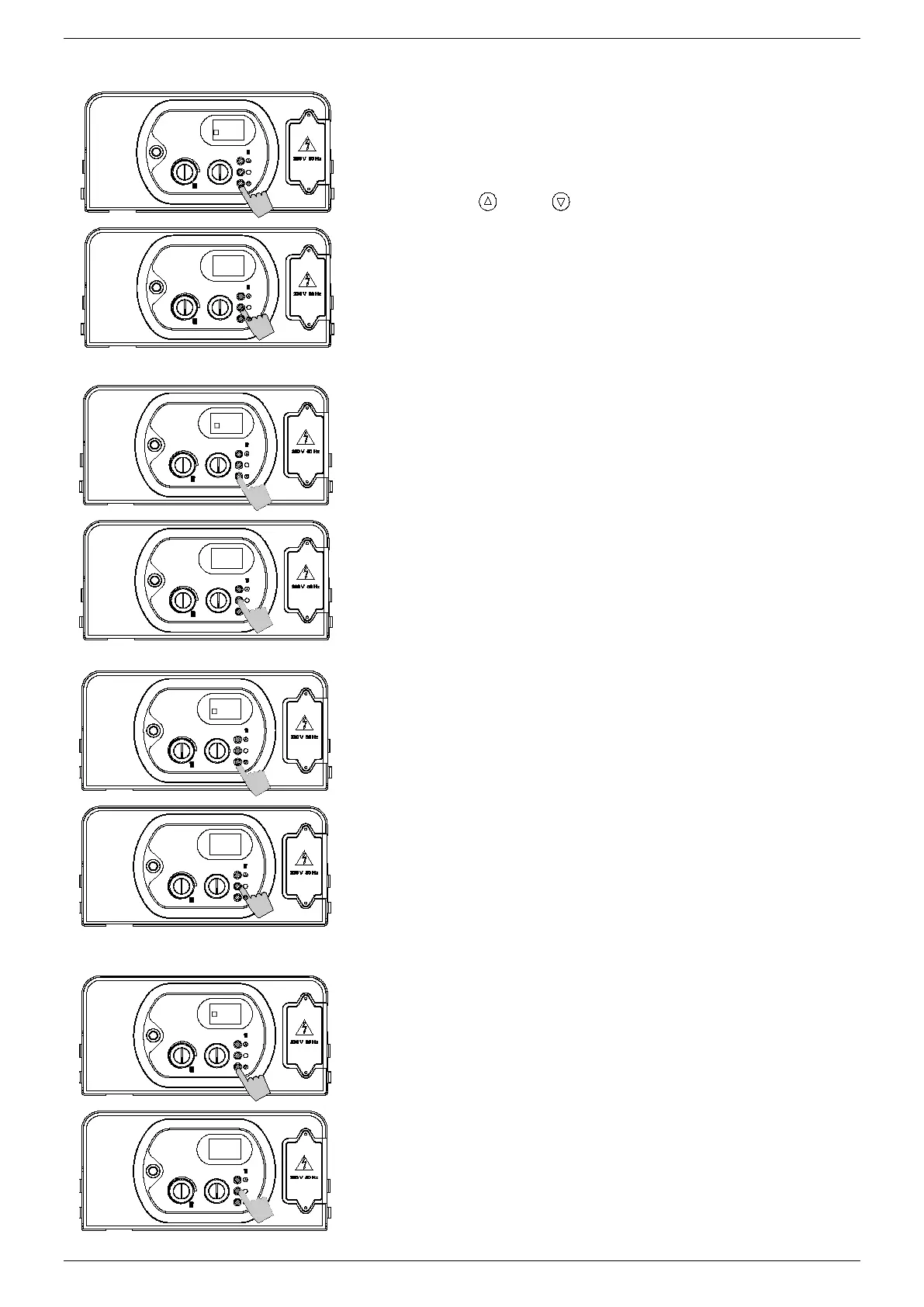
PARAMETER 12 - IGNITION SEQUENCE SETTING
(N
ATURAL GAS 0.30 KPA / UNIVERSAL LPG 0.97 KPA)
6. Use buttons ‘
’ and ‘ ’ to modify the value of the parameter
within the prescribed limits
00 = minimum pressure set at the gas valve.
99 = maximum allowed pressure of the model installed.
The default value is 50.
7. Press and release button ‘S’ to confirm. The parameter number
P12 will appear on the display.
8. Switch off the appliance and switch it back on again to render
the new parameter operative.
P
ARAMETER 13 – D.H.W PRIORITY
(Not applicable)
P
ARAMETER 15 – ZONED SYSTEM
6. If the system is fitted with zone valves, set the parameter P15 at
‘01’. If a remote control is installed, an extra interface board must
be installed to control the zone valves. Then set the parameter at
‘01’.
7. Press and release button ‘S’ to confirm. The parameter number
P15 will appear on the display.
8. Switch off the appliance and switch it back on again to render
the new parameter operative.
P
ARAMETER 16 – TELEPHONE CONTROL
6. If a telephone interface is installed, enable the board by setting
parameter P16 at ‘01’;
7. Press and release button ‘S’ to confirm. The parameter number
P16 will appear on the display.
8. Switch off the appliance and switch it back on again to render
the new parameter operative. N.B.: The connection of the
telephone interface to contact TA of the terminal board must be
wired in parallel with the remote control using two non-polarised
conductors.
S
S
S
S
01
S
S
00
00
50
S
S
P 12
P 13
P 15
P 16


 To Next Page