4.2. Hextio
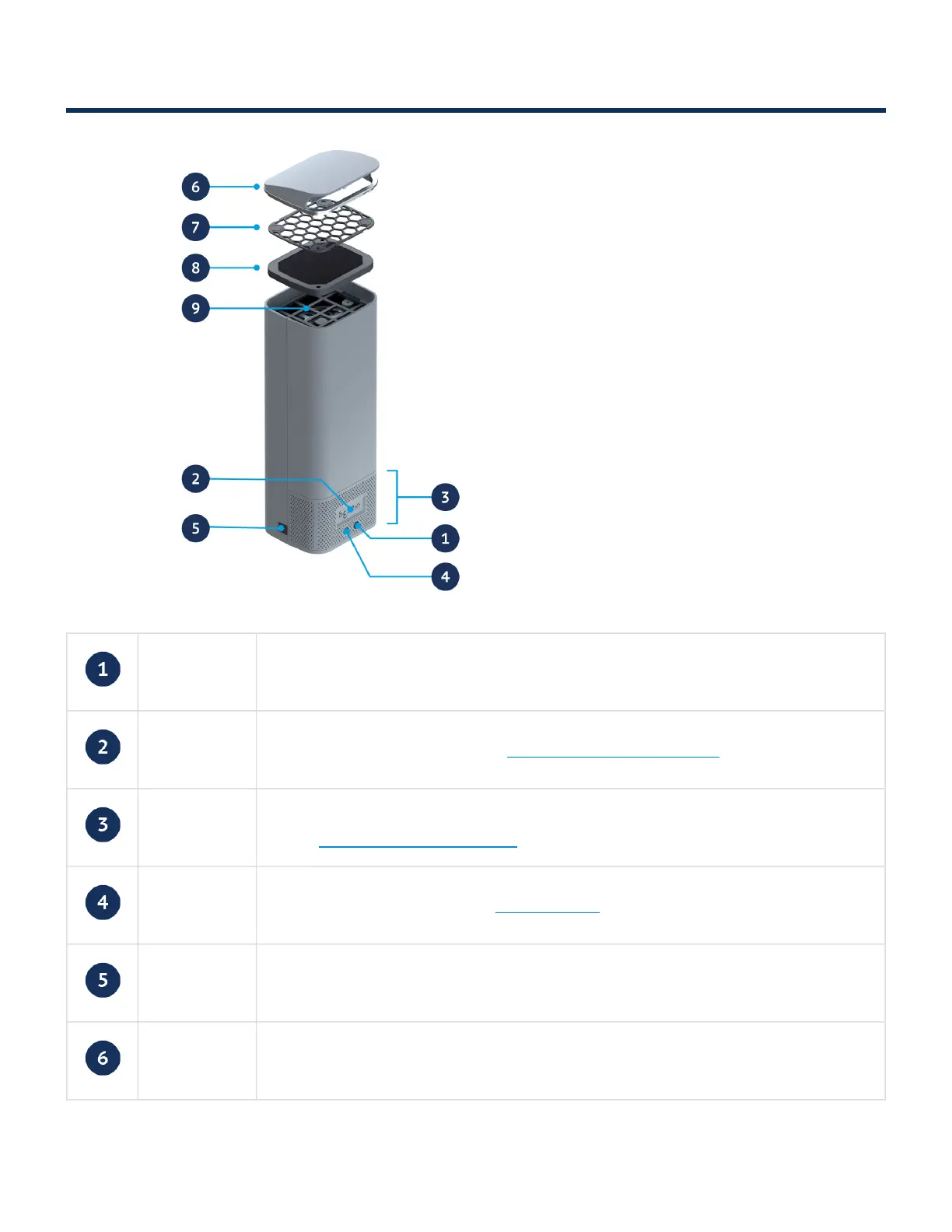
Power button Switches the device on or off
Hextio light Indicates the mode of the device. Hextio light color descriptions
Air intake /
backlight
The backlight shines through the air intake holes and indicates the status of the
device. Backlight color descriptions
IR sensor Accepts input from the included remote control
12V DC input 12V DC power input from the included AC adaptor
Airflow guide Directs the flow of air towards the user
Radic8 Hextio - 1_en
Copyright © 2022 Radic8 Page 11 of 31


 To Next Page