EasyManua.ls Logo

Radio Shack CONCERTMATE 580 - User Manual

Radio Shack CONCERTMATE 580
28 pages
Print Icon
To Next Page IconTo Next Page
Loading...
Cat. No. 42-4028
OWNER’S MANUAL
CONCERTMATE-580
Please read before using this equipment.
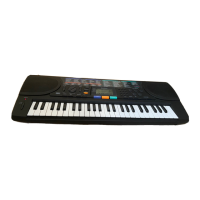
Portable Electronic Keyboard
illustration
42-4028.fm Page 1 Wednesday, August 11, 1999 4:04 PM

Questions and Answers

  • R
    robert86Jul 30, 2025
    What to do if my Radio Shack Electronic Keyboard has no power?
    • E
      elizabethsanchezJul 30, 2025
      If your Radio Shack Electronic Keyboard isn't powering on, check these potential causes: Ensure the POWER is set to ON, the MASTER VOL. isn't turned down, headphones are disconnected, and the power supply is working correctly. Verify the battery symbols (+/–) are correctly aligned, the batteries are fresh, and the AC adapter is properly connected.
  • C
    Christine RitterAug 5, 2025
    Why is my Radio Shack Electronic Keyboard not producing sound?
    • J
      John StokesAug 5, 2025
      If your Radio Shack Electronic Keyboard isn't producing sound, several factors could be responsible: Ensure the POWER is set to ON, the MASTER VOL. isn't turned down. Replace the connection cord. Check the external amplifier.
  • R
    Robert RamirezAug 11, 2025
    How to enable accompaniment on Radio Shack Electronic Keyboard?
    • Z
      zhernandezAug 11, 2025
      If the accompaniment feature on your Radio Shack Electronic Keyboard isn't working, make sure that MASTER VOL. or A.B.C. VOL. is not turned down. Also, press the SINGLE FINGER or FINGERED button to activate the accompaniment.
  • K
    Kenneth McdowellAug 17, 2025
    How to adjust the volume on a Radio Shack Electronic Keyboard?
    • M
      Madison WilsonAug 17, 2025
      To adjust the volume on your Radio Shack Electronic Keyboard, check and adjust the MASTER VOL. or RHYTHM VOL. controls.
  • J
    Jennifer LeeAug 22, 2025
    What to do if my Radio Shack Electronic Keyboard has interference?
    • J
      John StephensAug 23, 2025
      If your Radio Shack Electronic Keyboard is experiencing interference, especially from appliances like refrigerators or washing machines, try using an outlet on a different electrical circuit than the interfering appliance.

Summary

Features Overview

Preparation

POWERING YOUR KEYBOARD

Details the various methods for powering the Concertmate-580 keyboard.

Using Batteries

Instructions and recommendations for powering the keyboard using C batteries.

Using AC Power

Explains how to power the keyboard from a standard AC outlet using an adapter.

Using Vehicle Battery Power

Explains how to power the keyboard using a vehicle's cigarette lighter socket.

Operation

BASIC OPERATION

Covers the fundamental steps to turn on, operate, and turn off the keyboard.

USING THE PRESET TONES

Explains how to select and play the 100 different instrument sounds.

USING THE PRESET AUTO-RHYTHMS

Guides on selecting and playing the 16 built-in auto-rhythm patterns.

USING AUTO BASS CHORD (A.B.C) AUTO ACCOMPANIMENT

Details how to use the auto-accompaniment feature with chord formations.

Special Features

Troubleshooting

Radio Shack CONCERTMATE 580 Specifications

General IconGeneral
Number of Keys49
Polyphony8 notes
Voices100
Demo Songs10
EffectsSustain
MIDINo
SpeakersYes
Headphone JackYes
DisplayLED
Power SourceAC adapter
Weight4 kg
AccompanimentAuto accompaniment

Related product manuals