EasyManua.ls Logo

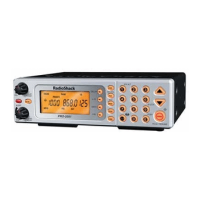
Radio Shack PRO-2056 - User Manual

Radio Shack PRO-2056
40 pages
Print Icon
To Next Page IconTo Next Page
Loading...
Cat. No.
20-147
OWNER’S MANUAL
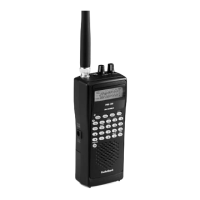
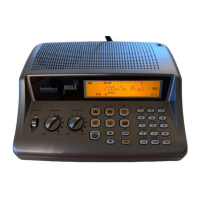
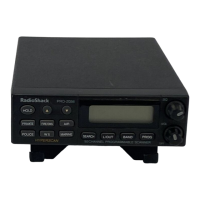
PRO-2056 50-Channel
Home/Mobile Scanner
Please read before using this equipment.
20-147.fm Page 1 Tuesday, August 3, 1999 3:23 PM

Questions and Answers

  • J
    Joshua RyanJul 30, 2025
    Why is my Radio Shack PRO-2056 not working?
    • T
      Tammy BellJul 31, 2025
      If your Radio Shack Scanner isn't working at all, it could be due to a power issue. Here's what to check: * Ensure the AC adapter is properly plugged into a working AC outlet. * If using a DC power cord or cigarette-lighter power cord, make sure it's fully inserted into the DC 13.8V jack, with the red wire correctly connected to a voltage source and the black wire to ground.
  • K
    Katie BruceAug 6, 2025
    What to do if my Radio Shack Scanner is on but does not scan?
    • L
      leslierobertsAug 6, 2025
      If your Radio Shack Scanner is on but not scanning, the squelch (SQ) might not be adjusted correctly. Try adjusting the SQ counterclockwise. Refer to the 'Turning On the Scanner/Setting Volume and Squelch' section on Page 19 for detailed instructions.
  • J
    Jasmine RichardsAug 14, 2025
    How to fix poor reception on Radio Shack PRO-2056?
    • M
      Michael ReedAug 14, 2025
      Poor or no reception on your Radio Shack Scanner could be due to an improperly connected antenna. Ensure the antenna is properly connected.
  • K
    Kevin BradleyAug 22, 2025
    What to do if my Radio Shack PRO-2056 locks on unclear frequencies?
    • J
      Jordan AndersonAug 22, 2025
      If your Radio Shack Scanner locks onto frequencies with unclear transmissions in scan mode, it might be due to 'birdies'. Try to avoid programming the frequencies listed under 'Birdie Frequencies' on Page 25, or only listen to them manually.

Summary

FEATURES

HyperScan and HyperSearch

Offers faster scan/search speeds (100 channels/sec, 100 steps/sec).

PREPARATION

Antenna Connections

Guides on attaching telescoping, window-mount, and external antennas for optimal reception.

UNDERSTANDING YOUR SCANNER

Service Search Banks

Details preprogrammed service search banks (Police, Fire/EMG, Marine, Air) for scanning agency frequencies.

Search Band Details

Lists 11 search bands, their frequency ranges, typical usage, and step rates.

Front Panel Guide

Identifies and explains the function of each key and control on the scanner's front panel.

Display Indicator Guide

Explains the various indicators and symbols shown on the scanner's display during operation.

OPERATION

Initial Setup and Controls

Guides on turning on the scanner and adjusting volume and squelch.

Storing Frequencies

Step-by-step guide on how to store detected frequencies into available channels.

Clearing Stored Frequencies

Instructions on clearing stored frequencies from channels by storing an empty frequency.

SPECIAL FEATURES

Memolock for Protection

How to use MEMOLOCK to prevent accidental changes to scanner programming.

TROUBLESHOOTING

Scanner Not Working

Addresses issues where the scanner does not power on or operate, checking connections.

Poor Reception Issues

Solutions for poor/no reception, focusing on antenna connection and SQ adjustment.

Scanning Problems

Solves issues like scanner not scanning or locking onto unwanted frequencies (birdies).

REPLACING THE FUSES

SPECIFICATIONS

Frequency Coverage and Channels

Lists frequency ranges, step rates, and programmable channel capacities.

Performance Metrics

Details sensitivity, scanning/search rates, delay time, and squelch sensitivity.

Power and Physical Details

Covers current drain, speaker, power requirements, dimensions, weight, and accessories.

LIMITED ONE-YEAR WARRANTY

Warranty Coverage and Exclusions

Outlines the terms, coverage, exclusions, and limitations of the product's one-year warranty.

Radio Shack PRO-2056 Specifications

General IconGeneral
BrandRadio Shack
ModelPRO-2056
CategoryScanner
LanguageEnglish

Related product manuals