EasyManua.ls Logo

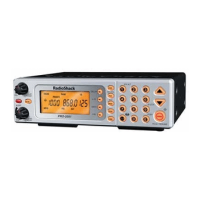
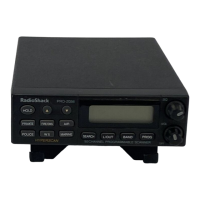
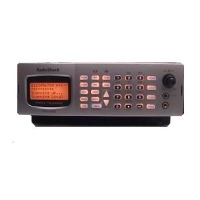
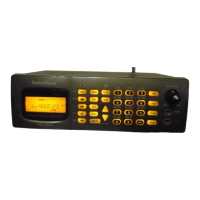
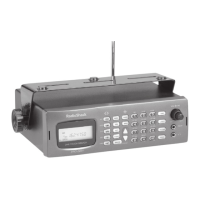
Radio Shack PRO-2052 - User Manual

Radio Shack PRO-2052
72 pages
Print Icon
To Next Page IconTo Next Page
Loading...
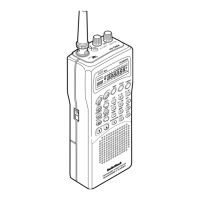
Owner’s Manual
Cat. No. 20-432
PRO-2052
1000-Channel Dual Trunking
TrunkTracker Home Scanner
Please read before using this equipment.
20-432.fm Page 1 Friday, July 14, 2000 11:30 AM

Table of Contents

Questions and Answers

  • K
    Kathryn RussoSep 10, 2025
    Why is my Radio Shack Scanner not acquiring a data channel?
    • M
      Michael MorenoSep 10, 2025
      If your Radio Shack Scanner is not acquiring a data channel, the squelch might not be correctly adjusted. Another possible cause is that the frequency used for the data channel is missing, so you should add the frequency used for the data channel to the frequency list.
  • B
    Benjamin ButlerAug 22, 2025
    What to do if Radio Shack Scanner will not track a trunked system?
    • A
      Amy ReedAug 23, 2025
      If your Radio Shack Scanner will not track a trunked system, the transmission might not use a system that can be tracked by your scanner, so you can try to scan another transmission. Another possible cause is that the data frequency is missing. In this case, find the data frequency.
  • R
    Raymond PinedaAug 25, 2025
    What to do if Radio Shack PRO-2052 will not track a trunked system and is set to scan Type II systems?
    • M
      Mrs. Cynthia HughesAug 25, 2025
      If your Radio Shack Scanner will not track a trunked system and is set to scan Type II systems, and the system you are trying to track is a Type I System, set the scanner to receive Type I trunked frequencies.
  • A
    Alicia UnderwoodAug 26, 2025
    How to fix a Radio Shack Scanner that is on but not scanning?
    • S
      sharoncrawfordAug 26, 2025
      If your Radio Shack Scanner is on but not scanning, first, ensure the SQUELCH is correctly adjusted by turning it clockwise. If the issue persists, check if you have stored frequencies into more than one channel; if not, store frequencies into multiple channels.
  • T
    thompsonheatherAug 27, 2025
    What to do if my Radio Shack Scanner is totally inoperative?
    • T
      tiffany92Aug 28, 2025
      If your Radio Shack Scanner is totally inoperative, verify that it's properly plugged into a working AC or DC outlet. Ensure the adapter’s barrel plug is fully inserted into the DC 12V jack. If the problem persists, the scanner might need to be reset.
  • A
    andersondonaldAug 29, 2025
    Why am I missing replies to conversations on my Radio Shack Scanner?
    • S
      Stephanie RamseyAug 29, 2025
      If you are missing replies to conversations on your Radio Shack Scanner, it could be due to several reasons. The system you're trying to track might be a Type I system while the scanner is set to scan Type II systems, so set the scanner to receive Type I trunked frequencies. The selected fleet map might be incorrect, so try another preset fleet map or program your own. Also, ensure that all of the trunk’s frequencies have been entered.
  • S
    Samantha HallSep 18, 2025
    What to do if my Radio Shack PRO-2052 will not stop while scanning a scan list?
    • K
      keithharrisSep 18, 2025
      If your Radio Shack Scanner will not stop while scanning a scan list, the IDs you have stored are not active. Scan another transmission.
  • D
    Dennis MaciasSep 12, 2025
    What does 'Error' mean on my Radio Shack PRO-2052 Scanner?
    • B
      brittany93Sep 12, 2025
      If 'Error' appears on your Radio Shack Scanner, it indicates a programming error. Reprogram the frequency correctly, including the decimal point.
  • L
    Lynn JacksonSep 8, 2025
    Why is my Radio Shack Scanner showing poor or no reception?
    • M
      Mark MasseySep 8, 2025
      If your Radio Shack Scanner has poor or no reception, make sure an antenna is connected to the scanner.
  • K
    Katherine WilkinsonSep 5, 2025
    Why is there no sound on my Radio Shack Scanner even though the channel activity indicators are lighting up?
    • C
      clarkdavidSep 5, 2025
      If channel activity indicators are lighting but no sound is heard on your Radio Shack Scanner, the transmission might be a private or telephone interconnect call, which the scanner does not scan. Try scanning for another transmission. Alternatively, the ID might be locked out, so unlock the ID.

Summary

INTRODUCTION

FEATURES

Key features of the scanner, including flexible operation and frequency coverage.

PREPARATION

CONNECTING AN ANTENNA

Instructions for connecting the supplied and external antennas.

CONNECTING POWER

How to power the scanner using AC or DC adapter.

UNDERSTANDING YOUR SCANNER

A LOOK AT THE FRONT PANEL

Explanation of the scanner's buttons and controls.

A LOOK AT THE DISPLAY

Interpretation of the scanner's display indicators and their meanings.

OPERATION

Storing Known Frequencies into Channels

Steps to program specific radio frequencies into memory channels.

SEARCHING SERVICE BANKS

How to scan preprogrammed frequencies for specific services.

SPECIAL FEATURES

DELAY

Setting a delay to monitor channels after transmissions end.

USING NWR-SAME AND WEATHER ALERT

Utilizing NOAA weather alerts with SAME codes for emergency notifications.

TRUNK SCANNING

PROGRAMMING TRUNKED FREQUENCIES

Steps to store trunk system frequencies into scanner banks.

SCANNING A TRUNKED BANK

How to initiate trunk scanning after programming frequencies.

PC REMOTE FUNCTION

CONNECTING THE SCANNER TO A COMPUTER

Establishing a physical connection between the scanner and a computer.

PC TO SCANNER COMMANDS

How to send commands from a computer to operate the scanner.

TROUBLESHOOTING

Scanner is on but will not scan

Troubleshooting steps for when the scanner fails to scan channels.

Scanner will not track a trunked system

Solutions for issues preventing the scanner from tracking trunked systems.

RESETTING THE SCANNER

Resetting the Scanner

Procedure to reset the scanner to its default factory settings.

SPECIFICATIONS

Frequency Coverage

Detailed list of the scanner's frequency reception ranges and step sizes.

Sensitivity

Specifications for the scanner's sensitivity across different frequency bands.

Radio Shack PRO-2052 Specifications

General IconGeneral
Modulation TypesAM, FM, WFM
Scan Speed100 channels per second
Banks10
Memory BackupYes
Power Supply6 AA batteries
Step Size5, 12.5 kHz
AntennaBNC
TypeBase/Mobile

Related product manuals