EasyManua.ls Logo

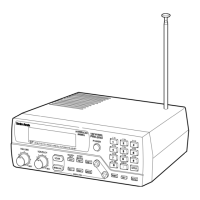
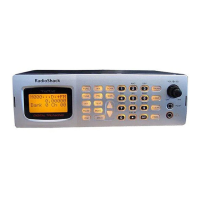
Radio Shack PRO-2096 - User Manual

Radio Shack PRO-2096
84 pages
Print Icon
To Next Page IconTo Next Page
Loading...
Please read this user’s guide before installing,
setting up and using your new product
www.radioshack.com
20-496
PRO-2096 Digital Trunking
Mobile/Base Scanner

Table of Contents

Question and Answer IconNeed help?

Do you have a question about the Radio Shack PRO-2096 and is the answer not in the manual?

Summary

The Basics

Scanner Keypad Overview

Explains the function of each button on the scanner's keypad.

Scanner Display Indicators

Describes the various icons and information shown on the scanner's display.

Scanner Installation and Setup

Mounting Your Scanner

Guide to installing the scanner in a vehicle or as a base station.

Squelch Adjustment

Adjusting the squelch control to minimize background noise.

Scanner Power and Connections

Powering the Scanner

Connecting to wall outlet or vehicle power sources.

Antenna and Audio Connections

Connecting antennas, speakers, and headphones.

Scanning Operations

Storing and Managing Frequencies

How to program, delete, and manage frequencies in memory.

Basic Scanning Procedures

How to initiate and control the scanning process.

Frequency Searching and Tuning

Methods for searching and manually tuning to active frequencies.

Advanced Scanning Features

CTCSS and DCS Decoding

Using tone codes to filter transmissions.

Weather Band Reception

How to receive local weather broadcasts and alerts.

Virtual Scanner (V-Scanner)

Feature for saving, recalling, and managing scanner configurations.

Trunking System Operation

Trunking Operation Basics

Overview of scanning trunked radio systems.

Programming Trunked Systems

Guide to programming various trunked radio system types.

Troubleshooting and Specifications

Scanner Troubleshooting

Common issues and solutions for scanner problems.

Technical Specifications

Technical details including frequency coverage and memory organization.

Legal Scanning Guidelines

Information on legal listening practices and restrictions.

Summary

The Basics

Scanner Keypad Overview

Explains the function of each button on the scanner's keypad.

Scanner Display Indicators

Describes the various icons and information shown on the scanner's display.

Scanner Installation and Setup

Mounting Your Scanner

Guide to installing the scanner in a vehicle or as a base station.

Squelch Adjustment

Adjusting the squelch control to minimize background noise.

Scanner Power and Connections

Powering the Scanner

Connecting to wall outlet or vehicle power sources.

Antenna and Audio Connections

Connecting antennas, speakers, and headphones.

Scanning Operations

Storing and Managing Frequencies

How to program, delete, and manage frequencies in memory.

Basic Scanning Procedures

How to initiate and control the scanning process.

Frequency Searching and Tuning

Methods for searching and manually tuning to active frequencies.

Advanced Scanning Features

CTCSS and DCS Decoding

Using tone codes to filter transmissions.

Weather Band Reception

How to receive local weather broadcasts and alerts.

Virtual Scanner (V-Scanner)

Feature for saving, recalling, and managing scanner configurations.

Trunking System Operation

Trunking Operation Basics

Overview of scanning trunked radio systems.

Programming Trunked Systems

Guide to programming various trunked radio system types.

Troubleshooting and Specifications

Scanner Troubleshooting

Common issues and solutions for scanner problems.

Technical Specifications

Technical details including frequency coverage and memory organization.

Legal Scanning Guidelines

Information on legal listening practices and restrictions.

Radio Shack PRO-2096 Specifications

General IconGeneral
Frequency Range25-54, 108-174, 216-512, 764-960, 1240-1300 MHz
Channels1000
Memory Channels1000
Trunking CapabilityYes
TrunkingMotorola, EDACS, LTR
Display TypeLCD
PC ProgrammableYes
BandsVHF, UHF
ModesAM, FM, NFM
Power Supply13.8VDC
AntennaBNC
ModulationAM, FM, NFM

Related product manuals