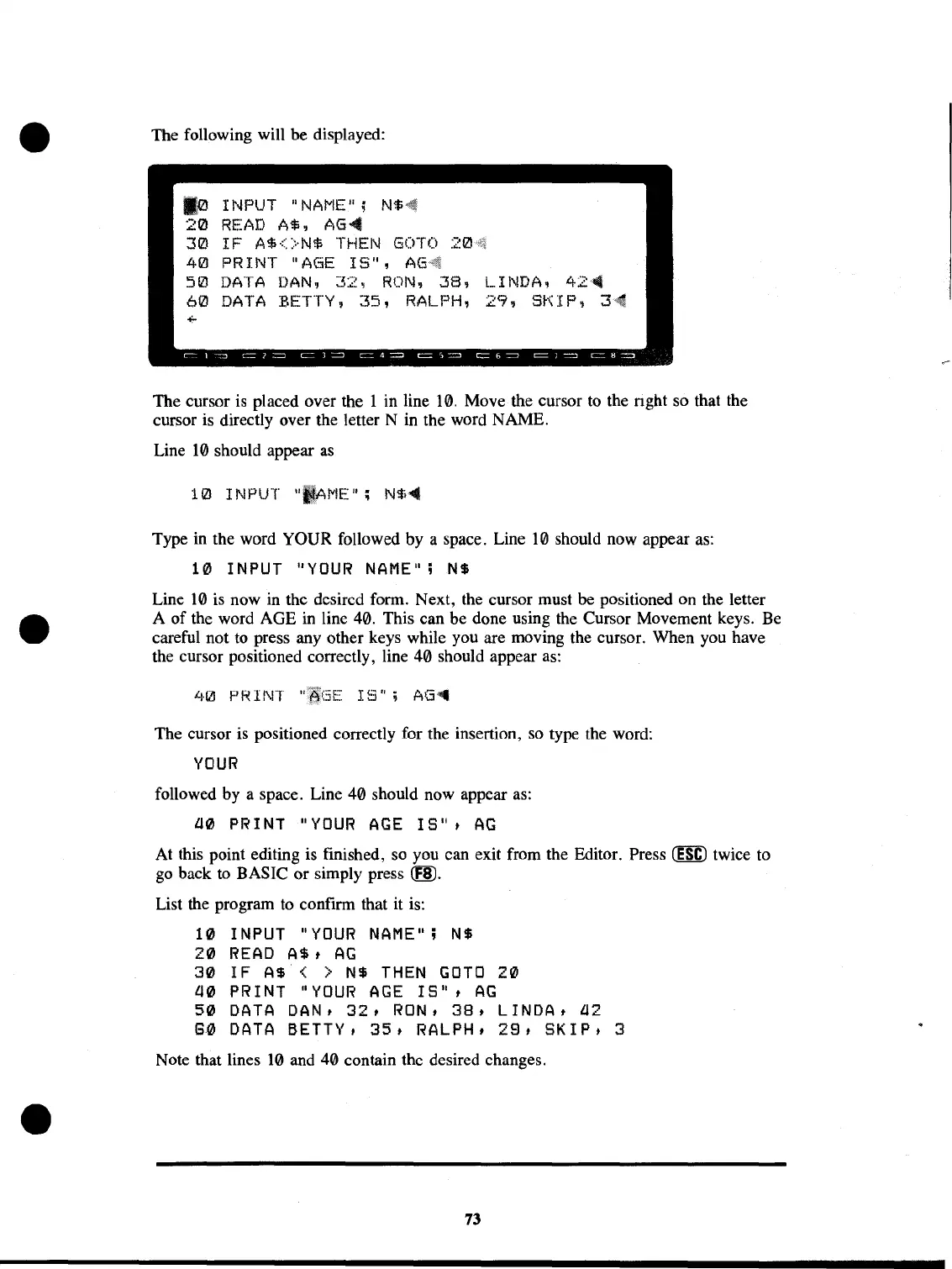
The following will be displayed:
10
INPUT
"NAI"IE";
NS4i
20
READ
AS, AG-4
30
IF
A$<>N$
THEN
GOTO
40
PRINT
"AGE
IS",
50
DATA
DAN,
32,
RON,
38,
LINDA,
42~
60
DATA
BETTY,
35,
RALPH,
29,
SKIP,
3~
The cursor
is
placed over the 1 in line
10.
Move the cursor
to
the nght so that the
cursor is directly over the letter N in the word NAME.
Line
10
should appear
as
Type in the word YOUR followed by a space. Line
10
should now appear
as:
10
INPUT
"YOUR
NAME";NS
Line
10
is
now
in
the desired form. Next, the cursor must
be
positioned on the letter
A
of
the word AGE
in
line 40. This can be done using the Cursor Movement keys.
Be
careful not
to
press any other keys while you are moving the cursor. When you have
the cursor positioned correctly, line 40 should appear
as:
'+0
F'R II\IT
IS";
AG'-
The cursor is positioned correctly for the insertion,
so
type the word:
YOUR
followed by a space. Line 40 should now appear
as:
l10
PRINT
"YOUR
AGE
IS",
AG
At this point editing is finished, so you can exit from the Editor. Press
(ESC)
twice to
go
back
to
BASIC or simply press
CfID.
List the program
to
confirm that it is:
10
INPUT
"YOUR
NAME";
N$
20
READ
AS,
AG
30
IF
AS
< >
N$
THEN
GOTO
20
l10
PRINT
"YOUR
AGE
IS",
AG
50
DATA
DAN,
32,
RON,
38,
LINDA,
l12
8~
DATA
BETTY,
35,
RALPH,
29,
SKIP,
3
Note that lines
10
and 40 contain the desired changes.
73



 To Next Page
 Loading...










