10
Introduction Monitoring from your Smartphone Troubleshooting Customer Service InformationAbout this Manual Monitoring from your Computer
3.
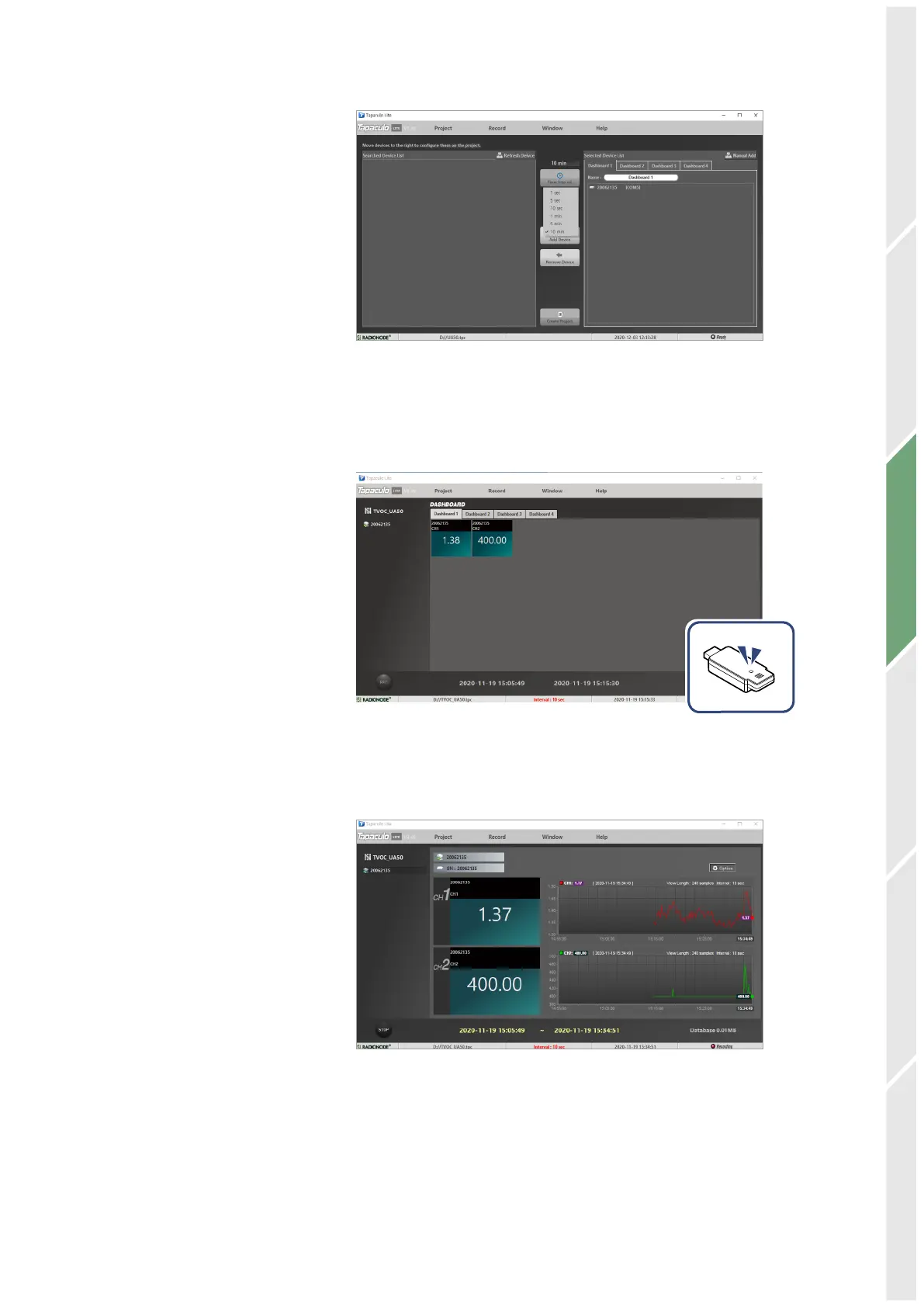
Click Time Interval and select the measurement interval.
4.
Click OK Create Project at the bottom of the menu. The Dashboard
menu will open and display measurements of sensors registered
in the project, and sensor indicators will blink.
5.
Click REC at the lower-left corner to start logging data. The REC
button will change to STOP.
6.
To exit the program, click STOP. You cannot exit the program until
data logging is stopped.


 To Next Page