09
Introduction Monitoring from your Smartphone Troubleshooting Customer Service InformationAbout this Manual Monitoring from your Computer
Starting
Tapaculo
Lite
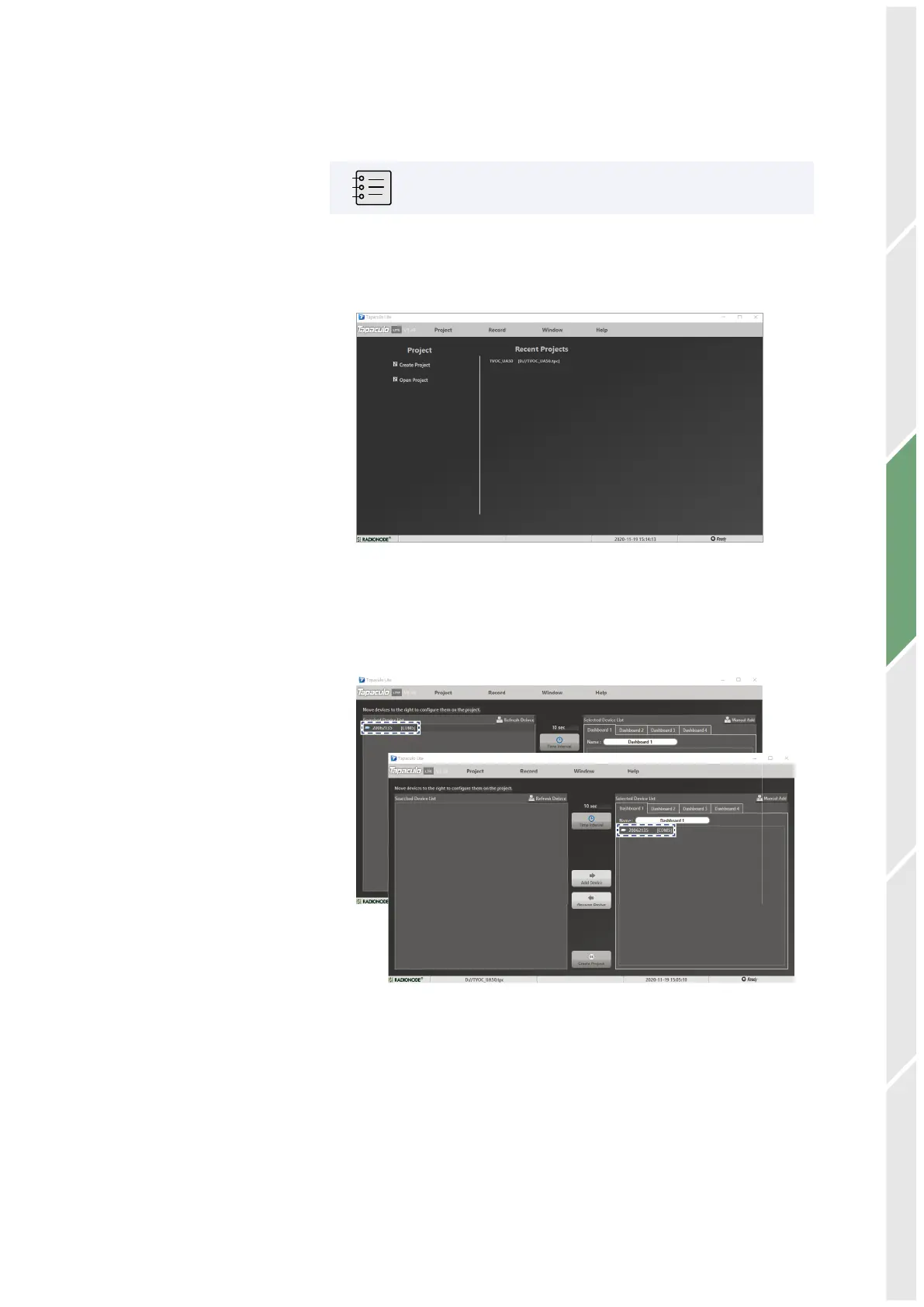
A new project must be created first before combining Tapaculo Lite
and the sensor. A project may include multiple sensors. Refer to the
following procedure when using Tapaculo Lite:
A project is a file that stores and manages sensor data.
1.
Click Create Project and enter a file name. The new file will contain
sensor information.
2.
Searched sensors appear in the left panel. Select a dashboard and
sensor, then click Add Device. The sensor will be added to the
dashboard.


 To Next Page