08
Introduction Monitoring from your Smartphone Troubleshooting Customer Service InformationAbout this Manual Monitoring from your Computer
Monitoring from your Computer
This chapter outlines how to use Tapaculo Lite. For more information
on Tapaculo Lite, see the information provided on the web page
below:
https://help.radionode365.com/article-categories/https://help.radionode365.com/article-categories/
tapaculo-litetapaculo-lite
Installing
Software
To view sensor measurements on your computer, download and
install the following software package from the RADIONODE website
at
www.radionode365.comwww.radionode365.com
.
●
Tapaculo Lite program (Windows or Mac version)
●
USB drivers for Windows for UA products
Connecting
Sensor to
Tapaculo
Lite
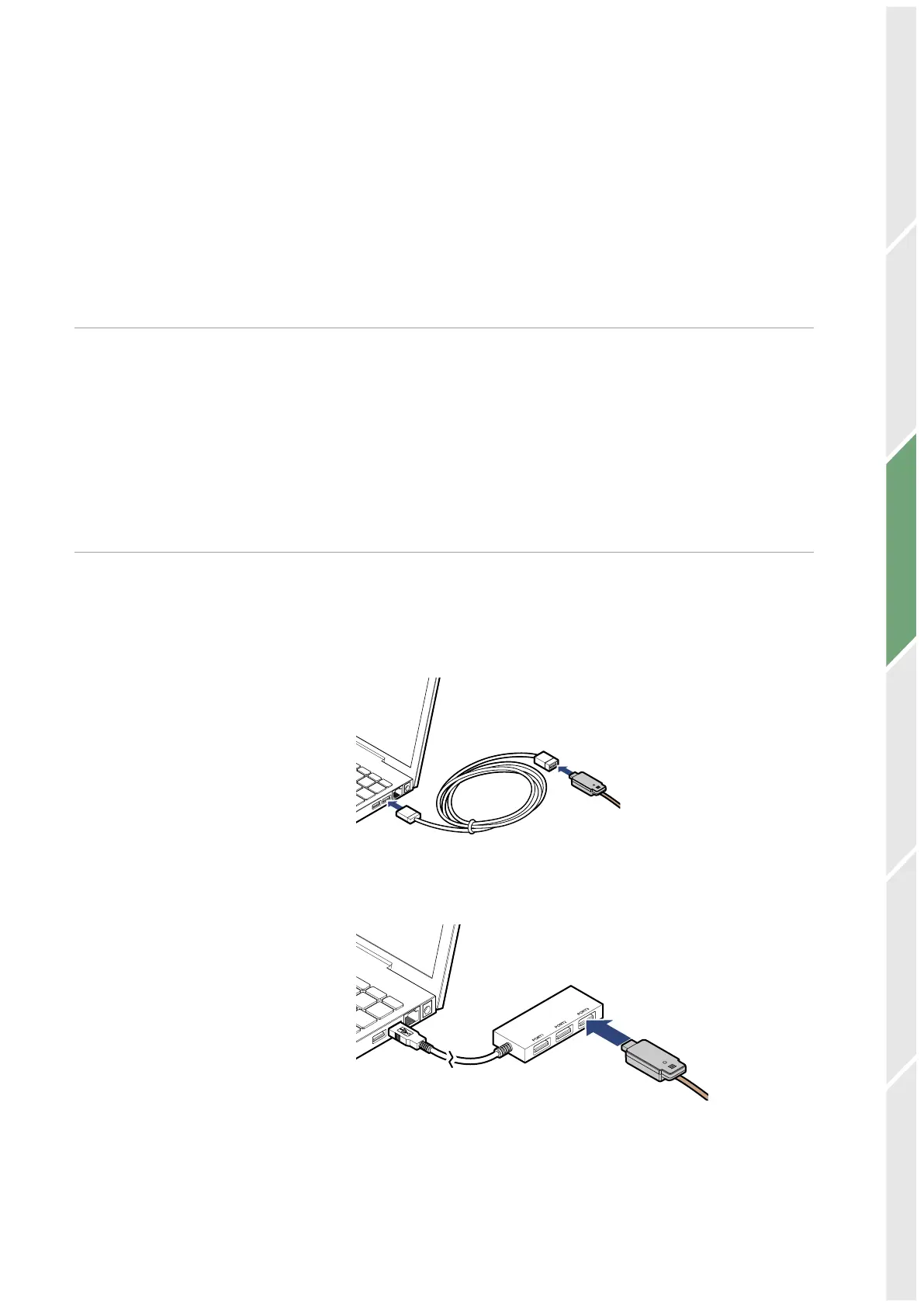
The sensor can be connected to Tapaculo Lite via one of the
following methods:
●
Insert the sensor into an available USB port on your computer.
●
Insert the sensor into an available port on the USB hub that is
connected to your computer.


 To Next Page