EasyManua.ls Logo

Rain Bird wtd 2900 - User Manual

Rain Bird wtd 2900
7 pages
Print Icon
To Next Page IconTo Next Page
Loading...
www.easywatering.co.uk
44 Hoddesdon Industrial Centre, Pindar Road Hoddesdon, Hertfordshire, EN11 0FF
Hozelock UK Garden Irrigation & Automatic Watering Systems
Question and Answer IconNeed help?

Do you have a question about the Rain Bird wtd 2900 and is the answer not in the manual?

Summary

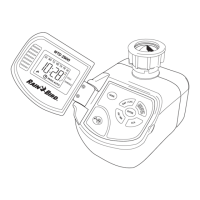
Product Presentation

Control Panel and Screen Overview

Explains the timer's control panel functions and screen indicators.

Battery Installation

Clock Setting

Setting and Changing Programs

Scheduling Options

Selecting Watering Start and Stop Times

Details on programming up to six watering periods per day.

Program Modification and Operation Modes

Temporary Override

How to temporarily override the current ON/OFF status.

Manual Mode Operation

Instructions for activating and deactivating Manual Mode.

Low Battery Detection

Explanation of how the timer indicates low battery status.

Summary

Product Presentation

Control Panel and Screen Overview

Explains the timer's control panel functions and screen indicators.

Battery Installation

Clock Setting

Setting and Changing Programs

Scheduling Options

Selecting Watering Start and Stop Times

Details on programming up to six watering periods per day.

Program Modification and Operation Modes

Temporary Override

How to temporarily override the current ON/OFF status.

Manual Mode Operation

Instructions for activating and deactivating Manual Mode.

Low Battery Detection

Explanation of how the timer indicates low battery status.

Rain Bird wtd 2900 Specifications

General IconGeneral
BrandRain Bird
Modelwtd 2900
CategoryIrrigation System
LanguageEnglish

Related product manuals