9
Attach red cable with diameter of 4 mm
2
to 10 mm
2
directly to the positive terminal (+) of the battery or the
central positive point of the HiFi unit and run to the amplifier. Make absolutely certain that the main electrical
cable is secured with a fuse. (see below).
Provide the free end of the power cable with a protective sleeve and insert into the clamp “B+“ (3) of the amplifier.
Firmly tighten the clamping screw.
Connect black cable with diameter of 4 mm
2
to 10 mm
2
directly to the autobody or to the central ground of the
HiFi unit and run to the amplifier.
Provide the free end of this power cable with a protective sleeve and insert into the clamp „GND“ (1) of the
amplifier. Firmly tighten the clamping screw.
The total electrical consumption of the complete audio system must be calculated to determine the appropriate fuse
to be employed. Therefore, the total electrical requirements of each audio device must be considered. Review
manufacturers data for each individual unit and add together to determine total consumption (include fuses with
Amp data). The resulting sum is the total electrical consumption in ampere and corresponds to the fuse
requirements. The fuse must always be inserted into the main power cable directly behind the battery (+).
Remote Connection
Run cables with small diameter from the car radio or CD-player-remote terminal to the amplifier connection
„REM“ (2) using a protective cable sleeve.
When switching the car radio/CD player on and/or off the amplifier is switched on and/or off over a soft muting
with a time delay of approximately one second.
Switching On / Control Function with LED
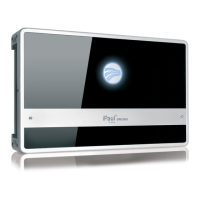
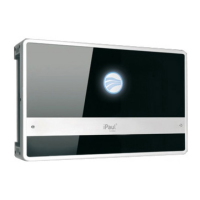
The powering on of the amplifier is indicated by the blue light at the unit’s logo (13). The amplifier switches on
with a time delay of approximately one second. Uncontrolled motion of the loudspeakers is suppressed by this soft
start when switching on the amplifier.
In the event of severe under impedance (<2Ω), for example, complex load, short-circuit at the loudspeaker outputs,
direct current at the loudspeaker voice coils, or with overload causing too-high temperatures on the heatsink, the
electronic monitor immediately powers the amplifier off. → blue flashing logo (13) (= protection).
After the repair of the disturbance the amplifier can be reactivated by repeated on/off switching.
If the powering down of the amplifier was caused by overload and too-high temperature, it will restart itself
automatically after a cooling phase.
Frequent powering off for thermal reasons indicates a poor designation of location, and the amplifier should be
relocated to a well-ventilated area. A persistent indication of trouble suggests that a defect in the equipment is
present. The amplifier should be sent in for repair.



 To Next Page