Pro2-Series 3D Printer
/ Quick Start Guide
C. ideaMaker Installation (continued)
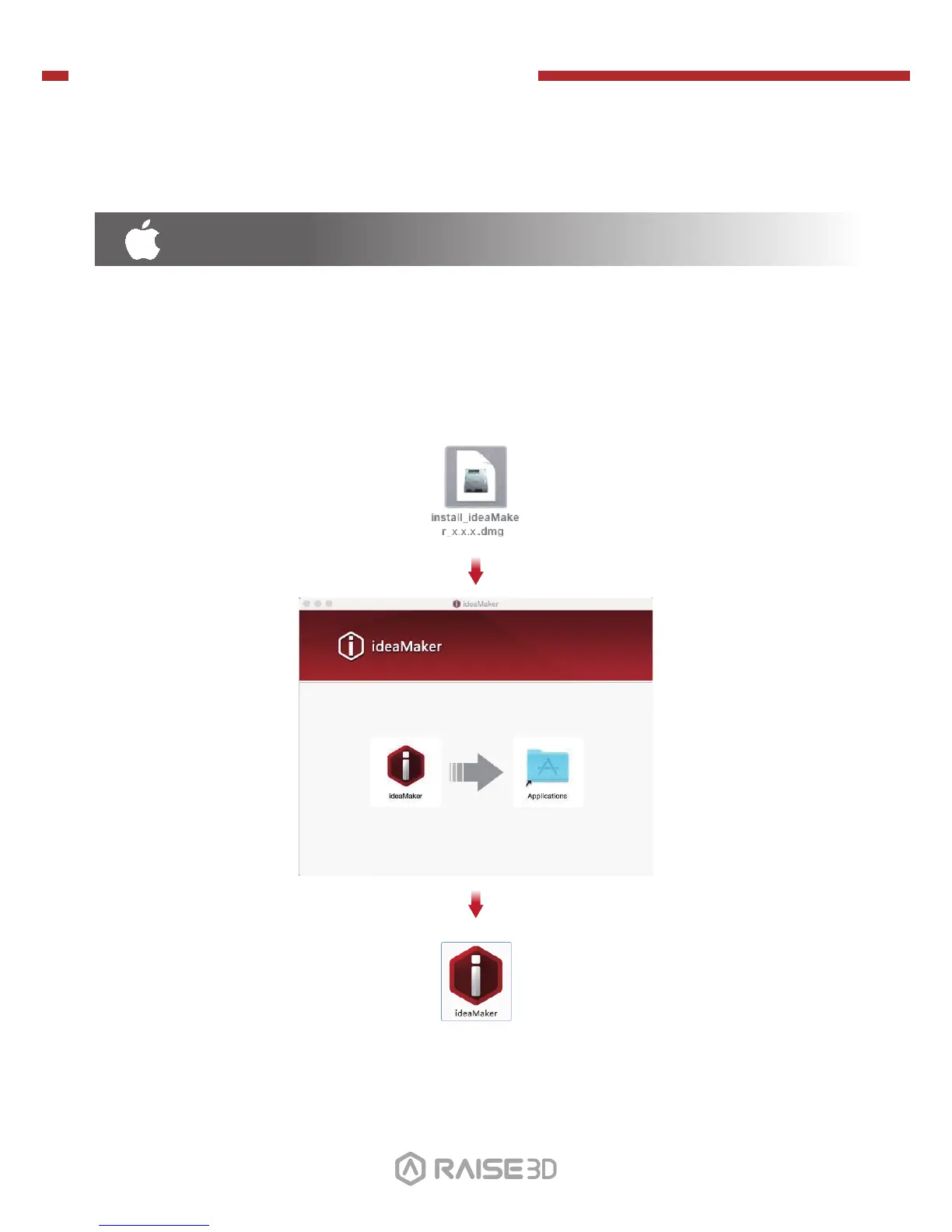
Open the Disk Image for the ideaMaker installer. This is located in the USB storage drive
included with your printer, or download the latest version from
www.raise3d.com/pages/download#down-im.
Drag the ideaMaker icon(left) into the Application folder on the right side.
MAC OS X
01 02
03 04 05 06
07 08 09
10
11 12 13 14
15 16 17 18
19 20 21 22
23 2624 25


 To Next Page