Pro2-Series 3D Printer
/ Quick Start Guide
B. Hardware Installation (continued)
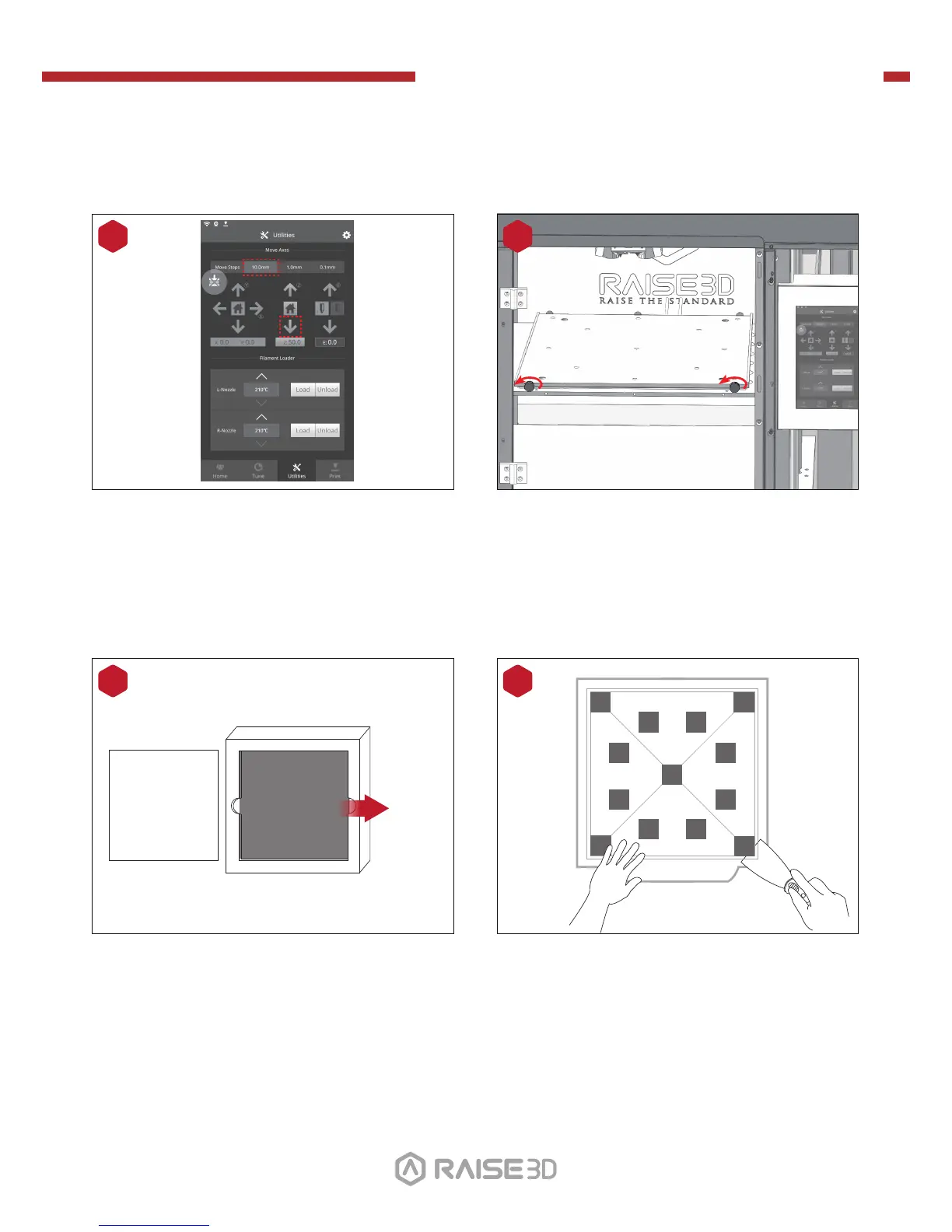
Lower the Z platform by 50mm.
To do this, set the interval at "10mm" by
selecting it in the "Move Steps" bar. This
will move the bed 10mm per arrow click.
Click this downward arrow 5 times to move
Z platform downward to 50mm.
8
Remove the aluminum build plate from the
foam packaging.
10
Protective Foam
Cover
Build Plate
Remove!
Loose the two thumb screws on the Z
platform by rotating the two thumbscrews
counter-clockwise.
9
01 02
03 04
05 06
07 08 09 10
11 12 13 14
15 16 17 18
19 20 21 22
23 26
Using the included spatula, remove the
leveling calibration model from your build
plate.
11
24 25


 To Next Page