NOTE:
•
To view a DVD on the radio press the RADIO/MEDIA
hard-key, on the radio faceplate, then touch the DISC
tab soft-key and then the VIEW VIDEO soft-key.
•
Viewing a DVD on the Touch-Screen radio screen is
not available in all states/provinces, and the vehicle
must be stopped, and the shift lever must be in the
PARK position for vehicles with automatic transmis-
sion. In vehicles with manual transmission the parking
brake must be engaged.
•
Touching the screen on a Touch-Screen radio while a
DVD is playing brings up basic remote control func-
tions for DVD play such as scene selection, Play,
Pause, FF, RW, and Stop. Pressing the X in the upper
corner will turn off the remote control screen
functions.
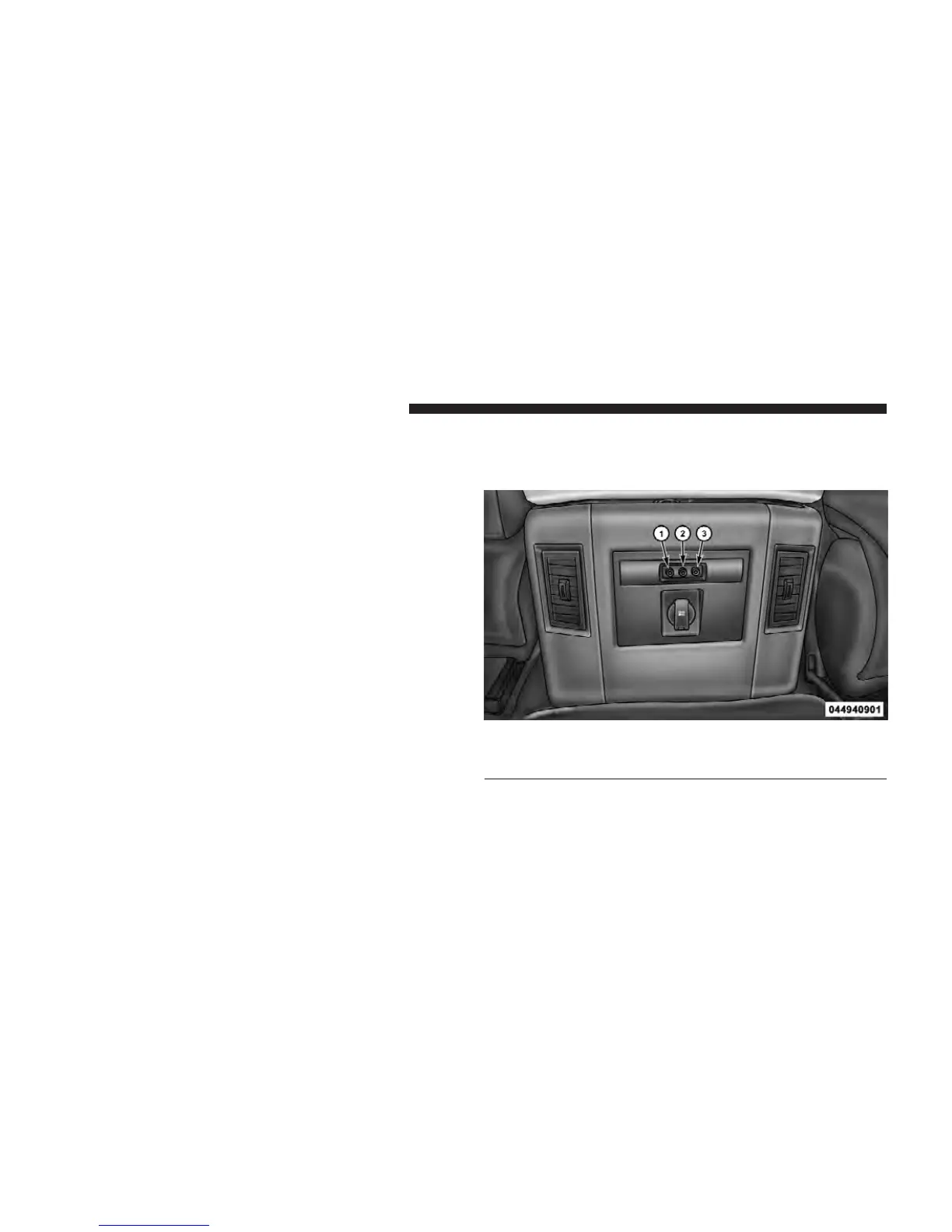
Play Video Games
Connect the video game console to the Auxiliary RCA
input jacks located on the back of the center console.
1. Video In – Yellow
2. Left Audio In – White
3. Right Audio In – Red
322 UNDERSTANDING YOUR INSTRUMENT PANEL



 To Next Page