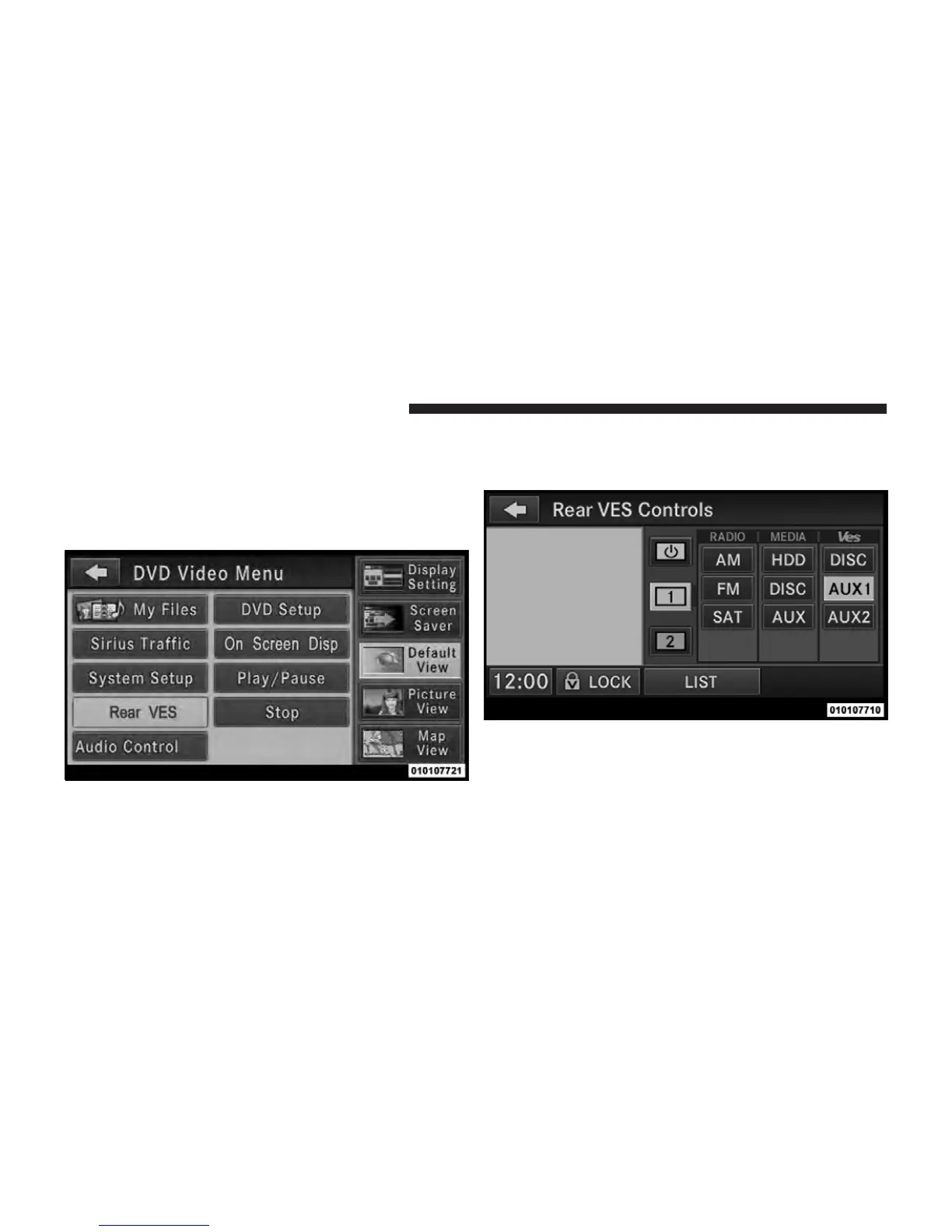
Using The Touch-Screen Radio Controls
1. Press the MENU hard-key on the radio faceplate.
2. Touch the Rear VES soft-key to display the Rear VES
Controls. If a channel list is displayed, press the HIDE
LIST soft-key to display the Rear VES Controls screen.
3. Touch the 1 or 2 based on the headphone channel you
want to change. To exit press the back arrow soft-key at
the top of the screen.
Rear VES Soft-key
Select Channel/Screen 1 And
AUX 1 In The VES Column
324 UNDERSTANDING YOUR INSTRUMENT PANEL



 To Next Page