10
Adjusting the Output Bias
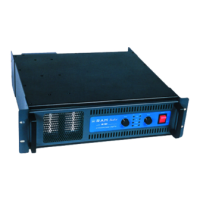
Power Selector
On the top panel left, you will find the 4
position power selector knob and a correspond-
ing LED indicator light.
Power Switch
The main power switch is located on the
rear panel. It is illuminated when in the on posi-
tion.
1) SLEEP — Red light. Main power is on, but
high and low voltage power supplies are off.
2) STAND BY — Green light. High voltage re-
mains off. Low voltage to tube filaments/
heaters are on. Tubes are warm and ready.
3) ON — Blue light. High voltage and low volt-
age supplies are on. Bias meter is active.
Allow 2 minutes for the bias meter climb to
normal and Enjoy!
4) LIGHT—Power meter light is on
The front panel incorporates a tube bias meter.
IMPORTANT: Turn your preamp volume control all the
way down while performing bias adjustments. Note:
Playing music you will notice the bias meter bouncing
dynamically, as the DC Restorer increases bias current
in response to loads. This is normal. When the needle
is bouncing, just reaching its travel limit indicates 25
watt or about 25% of the RAMs capability. At high out-
put levels the bias meter may stay pegged the majority
of the time. This is also normal.


 To Next Page