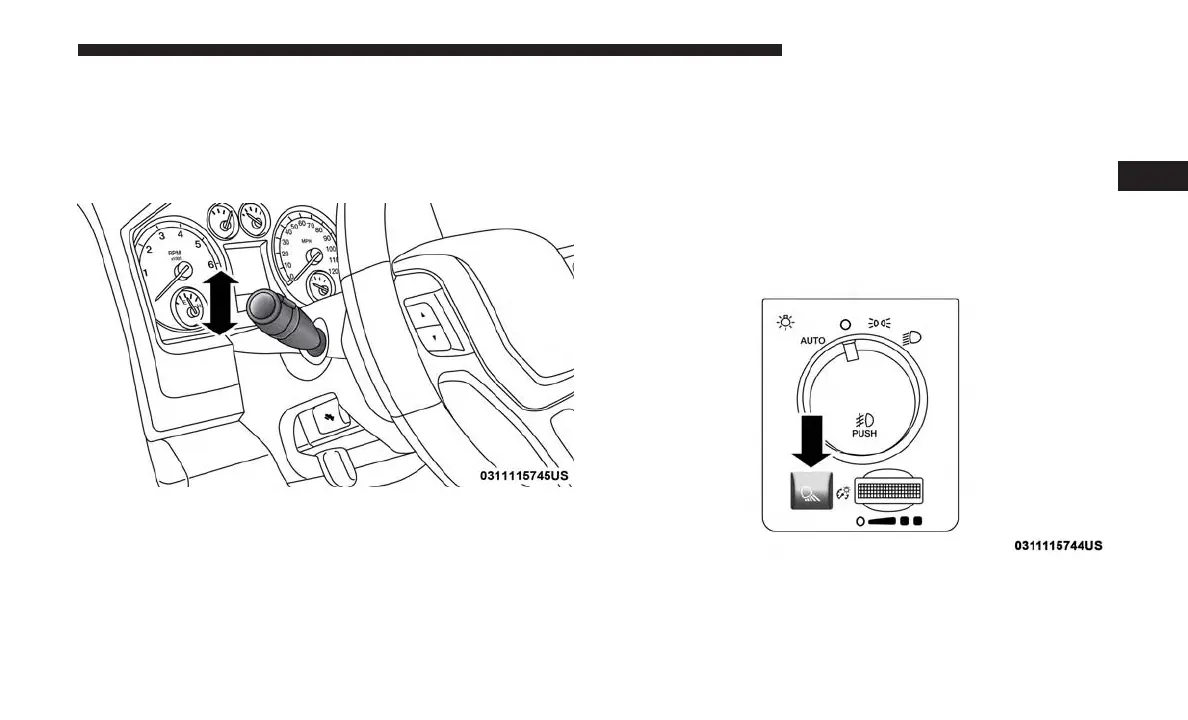
Turn Signals
Move the multifunction lever up or down and the arrows
on each side of the instrument cluster display will flash to
show proper operation of the front and rear turn signal
lights.
NOTE: If either light remains on and does not flash, or
there is a very fast flash rate, check for a defective outside
light bulb. If an indicator fails to light when the lever is
moved, it would suggest that the indicator bulb is defec-
tive.
Lane Change Assist — If Equipped
Tap the lever up or down once, without moving beyond
the detent, and the turn signal (right or left) will flash three
times then automatically turn off.
Cargo Light
The cargo light is turned on by pushing on the cargo light
button.
The cargo light will also turn on for approximately 60
seconds when the unlock button on a key fob is pushed, as
part of the Illuminated Entry feature.
Turn Signal Lever
Cargo Light Button
3
GETTING TO KNOW YOUR VEHICLE 73











 To Next Page