Page 16 1061DOC Rev C
Effective date: 6-Mar-14
User Guide RAMVAC Bison
®
Filtrols Moisture Faults
Moisture in Filtrols Faults Are Not Normal. This Fault occurs if liquid or foam is present in the “Filtrols” (normally a dry location).
Operating while there is a Moisture in Filtrols Fault Can Damage Equipment and Void the Warranty.
If a Moisture in Filtrols Fault recurs, call your dealer or RAMVAC.
If You Get a Moisture in Filtrols Fault
1. Press the S2 Electrols “Next” button.
• The S2 display will show that it is a “Moisture in Filtrols” alarm.
2. Determine and correct the cause. Always Determine the Cause of a “Moisture in Filtrols” Fault!
• See “ To Avoid Moisture in Filtrols Faults” below.
3. If you try to operating while there is a Moisture in Filtrols Fault this can damage equipment and will “Void the Warranty”
4. Clear the Moisture.
• Allow the Separating Tank to drain.
• Lift off the Vacuum Controller, remove Main Air Filter. Clean out any remaining moisture.
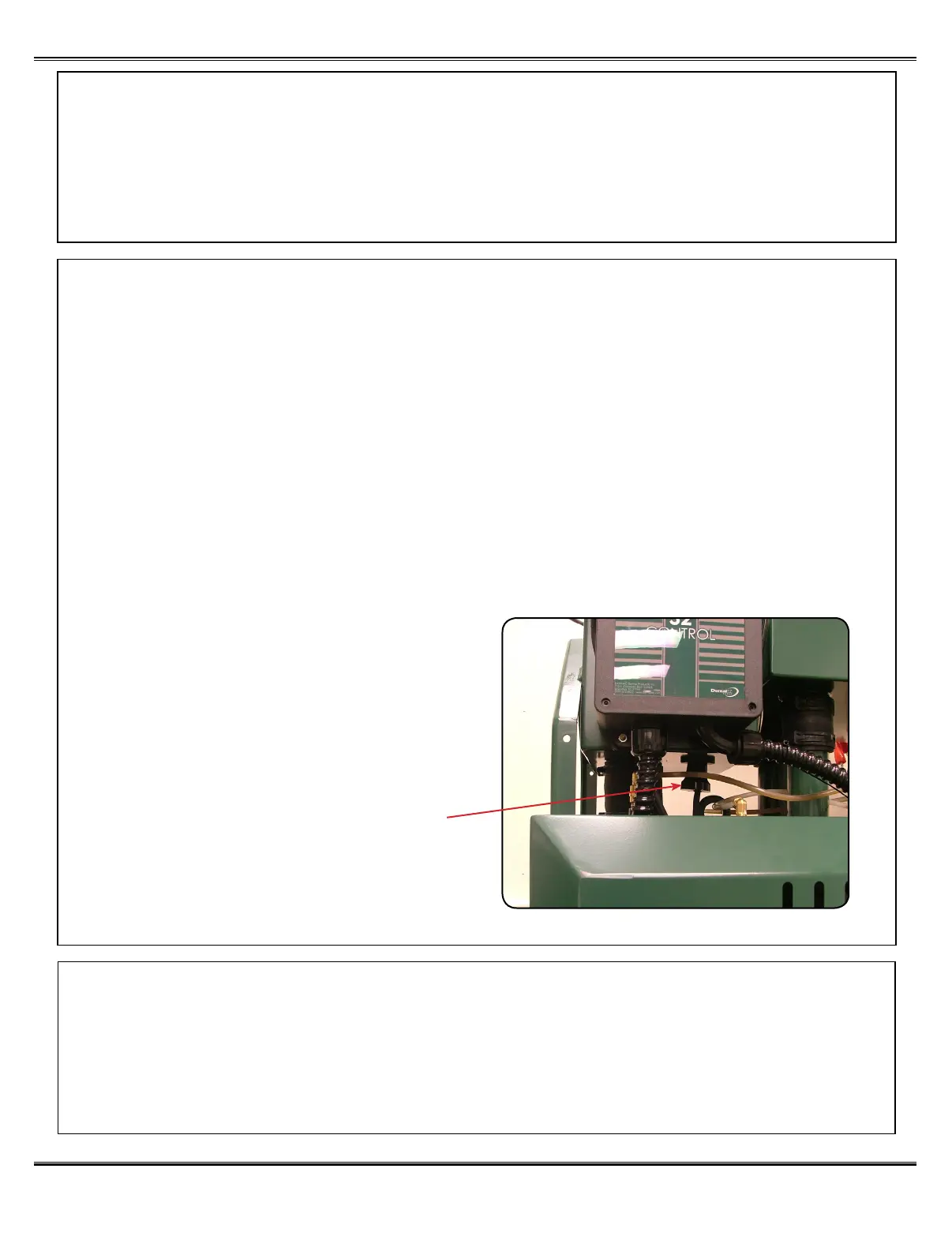
• Remove Moisture Sensor (by twisting and pulling down) and dry contacts. See illustration at right.
• Install Moisture Sensor, Main Air Filter and Vacuum Controller.
• Press the S2 Electrols “Next” button to show the Moisture in Filtrols Shutdown”.
• Press the S2 Electrols “Reset” button and hold for 5 seconds.
• Ramvac will start.
• When convenient, continue with step 5.
5. Reset the Flashing Remote Switch Indicator
• Cycle the remote switch off, then on.
To Avoid Moisture in Filtrols Faults
• Aspirate only non-foaming substances. Note: Check any suspicious substances by shaking in a glass container.
See Note at right Be sure to check:·
• Rinse lines with a known quantity of water. • Vacuum Line Cleaners (even those that say “non-foaming”)
• Do not exceed your separating tank’s capacity. • Cold Disinfecting Solutions
• Ultrasonic Solutions
Moisture Probe



 To Next Page