9
MP2015 MANUAL
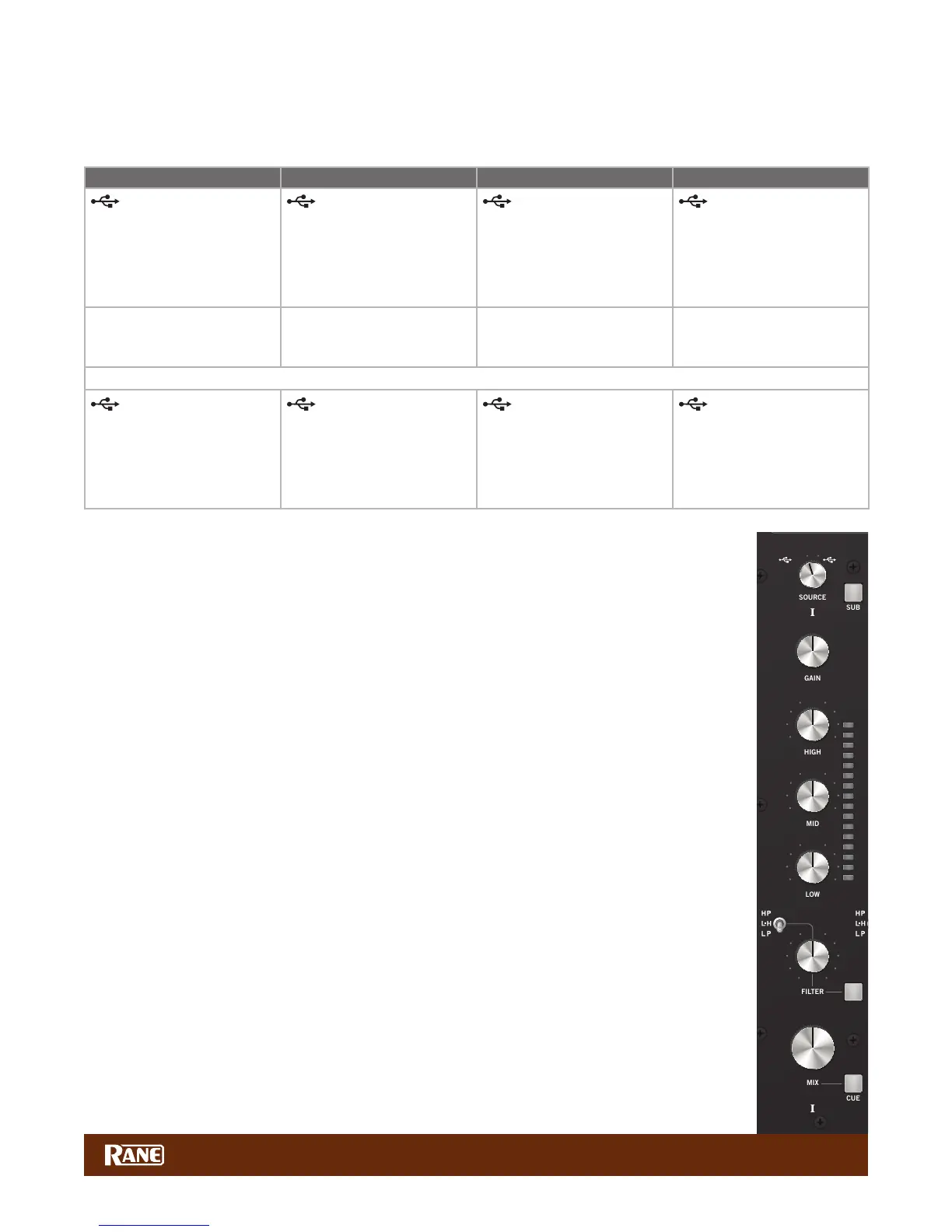
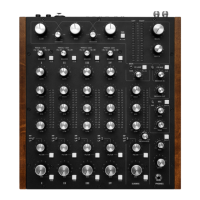
Deck Input Channels
Source Selectors
The source selectors choose the active USB port, USB audio slot or analog input for each input channel. To use USB
playback you must assign the USB slots in your DJ or DAW software preferences panel.
Deck 1 Source Selections Deck 2 Source Selections Deck 3 Source Selections Deck 4 Source Selections
Port A playback for
Deck 1
• USB audio slots 1-2.
• Routes audio and MIDI for
Deck 1 only to/from USB
Port A.
Port A playback for
Deck 2
• USB audio slots 3-4.
• Routes audio and MIDI for
Deck 2 only to/from USB
Port A.
Port A playback for
Deck 3
• USB audio slots 5-6.
• Routes audio and MIDI for
Deck 3 only to/from USB
Port A.
Port A playback for
Deck 4
• USB audio slots 7-8.
• Routes audio and MIDI for
Deck 4 only to/from USB
Port A.
• Phono / CD 1
• Set the PH-CD-SP switch
on the rear panel.
• Phono / CD 2
• Set the PH-CD-SP switch
on the rear panel.
• Phono / CD 3
• Set the PH-CD-SP switch
on the rear panel.
• Phono / CD 4
• Set the PH-CD-SP switch
on the rear panel.
• Aux Input (common to all selectors).
Port B playback for
Deck 1
• USB audio slots 1-2.
• Routes audio and MIDI for
Deck 1 only to/from USB
Port B.
Port B playback for
Deck 2
• USB audio slots 3-4.
• Routes audio and MIDI for
Deck 2 only to/from USB
Port B.
Port B playback for
Deck 3
• USB audio slots 5-6.
• Routes audio and MIDI for
Deck 3 only to/from USB
Port B.
Port B playback for
Deck 4
• USB audio slots 7-8.
• Routes audio and MIDI for
Deck 4 only to/from USB
Port B.
For details on sharing the MP2015 with a second computer, see "DJ Changeover" on page 15.
Deck Source Selection is followed by:
• GAIN trim
• Off to +15 dB with unity gain at 12 o’clock.
• 3-band HIGH / MID / LOW tone controls
• Off to +6 dB with unity gain at 12 o’clock.
• Linkwitz-Riley 2nd-order isolator full-cut lters (LR-2).
• Crossover points for Low/Mid and Mid/High default at 300 Hz between Low and Mid, 3 kHz
between Mid and High. This can be changed for each Deck. See "Control Panel" on page 16.
• High-Pass / Low-High-Pass / Low-Pass Sweep FILTER
• Low-pass lter cutoff moves from 20 kHz toward 20Hz as the knob is turned CCW.
• High-pass lter cutoff moves from 20 Hz toward 20kHz as the knob is turned CW.
• In Low-High mode, there is no effect at the center (at response).
• Low-pass increases CCW from the center.
• High-pass increases CW from the center.
• Resonance can be adjusted for all Sweep Filters with the RESONANCE control.
• CUE select
• Assigns a Deck to the headphone monitor.
• Q-peak meter with peak hold
• Adjust the GAIN trim to get the signal into the yellow during peaks, and to prevent overload.
• MIX control
• Adjusts the channel level feeding the USB record outputs, Submix or Main mix.
• Submix
• When the SUB button (next to the Source selector) is pressed and lit blue, the Deck is sent to the
Submix. When this button is off, the channel is sent to the Main Mix. See "Submix" on page 10.
See "Main Mix Outputs" on page 13.
1B
1A
PH/CD 1 AUX
2B
2A
PH/CD 2 AUX
3B
3A
PH/CD 3 AUX
4B
4A
PH/CD 4 AUX
135 380
CUE MIX
OL
+10
+7
+5
+3
+2
+1
0
-1
-2
-3
-5
-7
-10
-15
-24
OL
+10
+7
+5
+3
+2
+1
0
-1
-2
-3
-5
-7
-10
-15
-24
OL
+10
+7
+5
+3
+2
+1
0
-1
-2
-3
-5
-7
-10
-15
-24
OL
+10
+7
+5
+3
+2
+1
0
-1
-2
-3
-5
-7
-10
-15
-24
OL
+10
+7
+5
+3
+2
+1
0
-1
-2
-3
-5
-7
-10
-15
-24
OL
+10
+7
+5
+3
+2
+1
0
-1
-2
-3
-5
-7
-10
-15
-24
0
2
1
3
4
5
6
7
8
9
100
2
1
3
4
5
6
7
8
9
100
2
1
3
4
5
6
7
8
9
100
2
1
3
4
5
6
7
8
9
10
0
2
1
3
4
5
6
7
8
9
10
0
2
1
3
4
5
6
7
8
9
10
∞
0 dB
+10
∞
0 dB
+10
∞
0 dB
+10
OFF
|
+6
OFF
|
+6
OFF
|
+6
OFF
|
+6 OFF
|
+6 OFF
|
+6
OFF
|
+6
OFF
|
+6
OFF
|
+6
0
2
1
3
4
5
6
7
8
9
10
0
2
1
3
4
5
6
7
8
9
10 0
2
1
3
4
5
6
7
8
9
10 0
2
1
3
4
5
6
7
8
9
10
0
2
1
3
4
5
6
7
8
9
10
0
2
1
3
4
5
6
7
8
9
10
DRY WET
BASS TREBLE
LOW HIGH
0
2
1
3
4
5
6
7
8
9
10
0
2
1
3
4
5
6
7
8
9
10
0
2
1
3
4
5
6
7
8
9
10
80
225
640
1.7k 4.75k
1.0k
2.8k
8.0k


 To Next Page