INSTRUCTION, USE AND
MAINTENANCE MANUAL
GB
Page 41 of 64
TWO SMALLER WEIGHTS (55g)
USING SPLIT PROCEDURE
Proceed to dynamic unbalance measurement display-
ing by performing a standard wheel spin (see Par.
15.3.1). Once the unbalance values have been detected
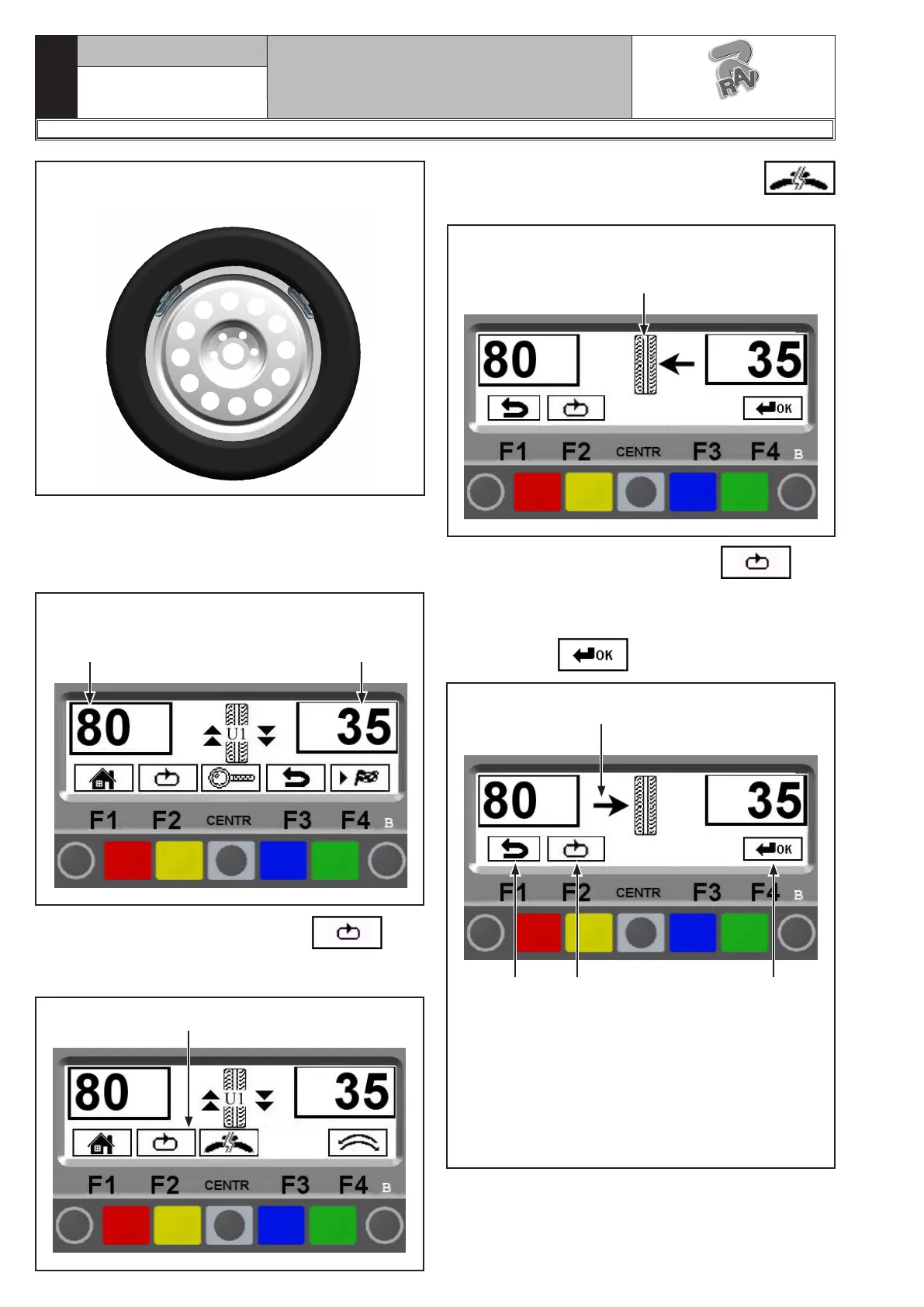
(see Fig. 76):
Fig. 76
Total inner weight Total outer weight
Press “key F2” corresponding to icon .
The display screen will show another row of keys (see
Fig. 77).
Fig. 77
Next row of keys
Press the key relating to the SPLIT function
, the system will display the page in Fig. 78.
Fig. 78
SPLIT function selected.
Choose the desired wheel side
Press “key F2” corresponding to icon to se-
lect the desired wheel side (outer or inner). Depending
on the selected side, the monitor will show the position
of the direction arrows.
Press “key F4” to confirm.
Fig. 79
1
2 3 4
KEY
1 – Confirm the wheel side. In the example, the se-
lected side is the inner; where the total weight
is higher.
2 – Display of program previous page (RED) (F1)
3 – Select the wheel side (YELLOW) (F2)
4 – Confirms selection and continues (GREEN)(F4)
1297-M010-0_R
G2.124R - GP2.124R
RAVAGLIOLI S.p.A.



 To Next Page