INSTRUCTION, USE AND
MAINTENANCE MANUAL
GB
Page 47 of 64
Fig. 95
Press the green key corresponding to icon on
the keyboard. The system will again display the page
with previous unbalance values.
Perform another spin and correct any residual unbal-
ance using the weights at disposal.
20.0 SETUP OF MEASUREMENT, RESO-
LUTION, WIDTH MEASUREMENT
OPTIONS AND SETTING CAR/MO-
TORCYCLE MODE
20.1 Unit for measuring the weight and
width/diameter of the rim
The weight determining wheel unbalance can be in-
dicated on the display in "gram" or "ounce" measure-
ment unit.
The width and diameter can be indicated in "inches"
or "mm"
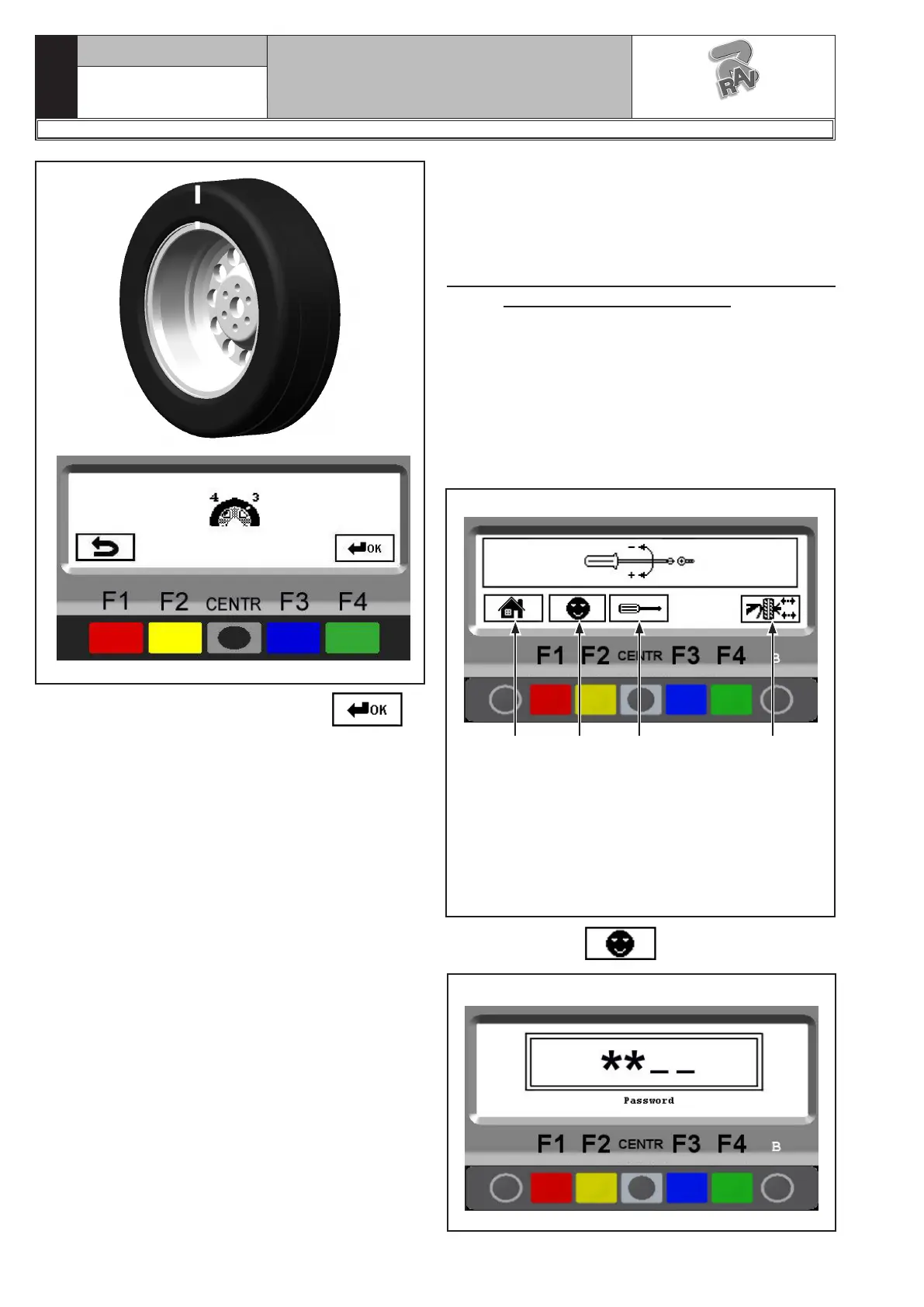
To change the unit of measurement, press the "F1 key"
from the opening presentation page (see Fig. 33), the
program will show the following display page:
Fig. 96
1
KEY
1 – Return to initial program page (RED) (F1)
2 – Customer configuration. Enter password:
F1-F2-CENTR-F3 (YELLOW) (F2)
3 – For technical assistance only (CENTRAL)
4 – Open/close the pneumatic mandrel (GREEN)
(F4)
2 3 4
Press the “F2 key” .
Fig. 97
1297-M010-0_R
G2.124R - GP2.124R
RAVAGLIOLI S.p.A.



 To Next Page