GB
Page 52 of 64
INSTRUCTION, USE AND
MAINTENANCE MANUAL
Move the selection line under the option to be changed
using “key F2” . Set the adhesive weight di-
mensions and the static threshold percentage by means
of the “centr key” .
After terminating the operation, press the “F1 key”
to exit.
21.0 CALIBRATION
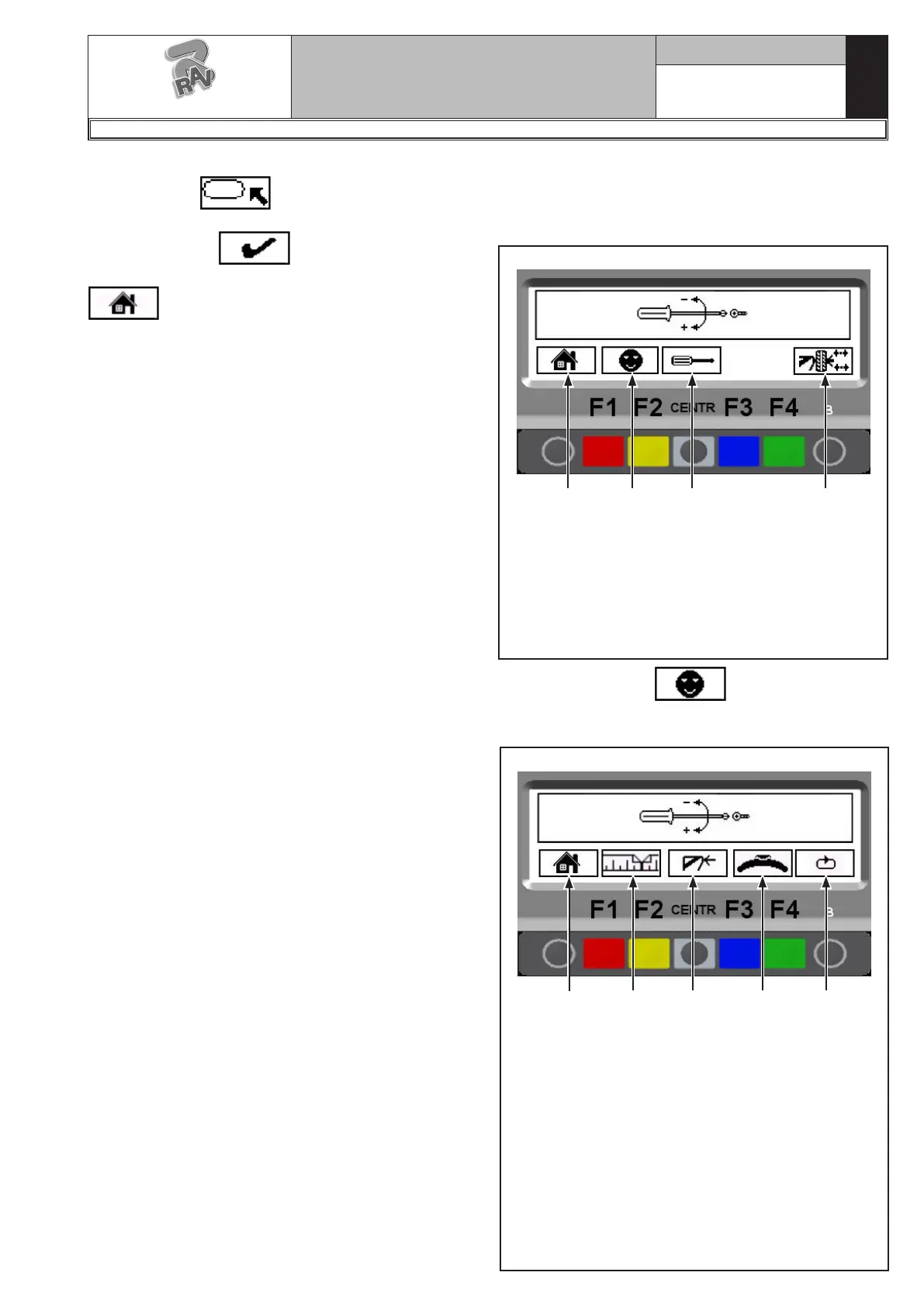
From program presentation screen page (see Fig. 33)
press “F1 key”; the program will display the following
screen page:
Fig. 105
1
KEY
1 – Return to initial program page (RED) (F1)
2 – Customer configuration. Enter password:
F1-F2-CENTR-F3 (YELLOW) (F2)
3 – For technical assistance only (CENTRAL)
4 – Open/close the pneumatic mandrel (GREEN)
(F4)
2 3 4
Press the “F2 key” , enter the password
F1-F2-CENTR-F3, the program displays the following
page:
Fig. 106
1
KEY
1 – Return to previous screen page (RED) (F1)
2 – Performs distance and diameter caliper calibra-
tion (YELLOW) (F2)
3 – "Zero chucking-table" setting without anything.
This operation must necessarily be performed
after setting the weight sensor machine calibra-
tion (CENTRAL)
4 – Perform weight sensor machine calibration
(BLUE) (F3)
5 – Displays unit of measurement, resolution, width
and run-out measurement option and car/mo-
torcycle mode setting operations (Chap. 20)
(GREEN) (F4)
2 3 54
G2.124R - GP2.124R
RAVAGLIOLI S.p.A.
1297-M010-0_R



 To Next Page