CHAPTER
4
016-0171-694 Rev. B 21
CHAPTER 4
SPREADER OPERATION
DYNAMIC CALIBRATION
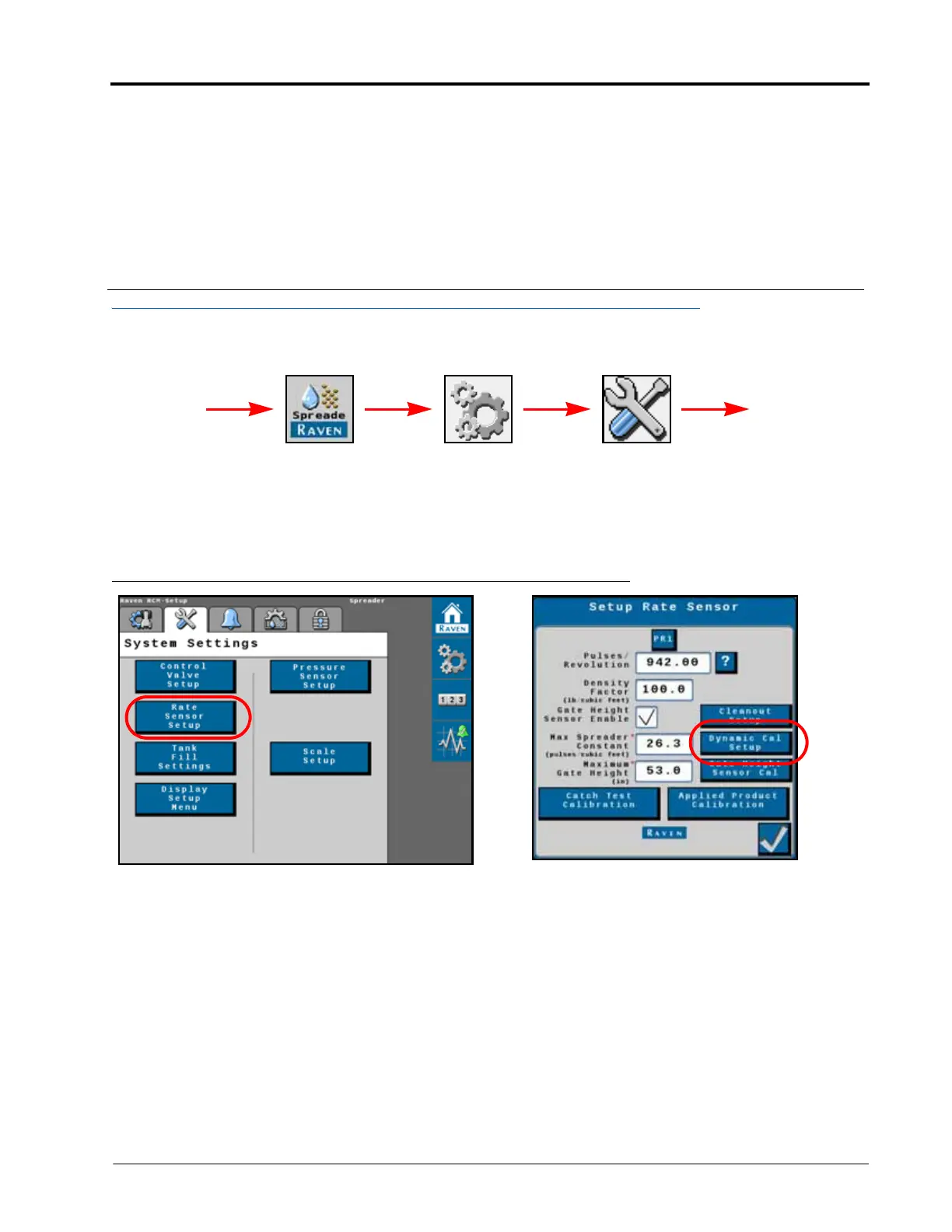
To access settings for Dynamic Calibration, navigate to the Rate Sensor Setup Page:
1. From the RCM home page, select the “Tools” button along the right side of the page.
2. Select the “System Settings” tab and then the “Rate Sensor Setup” button.
FIGURE 1. Setup Rate Sensor Page
3. Select the “Dynamic Cal Setup” button.
RCM
Menu
Tools Menu System
Settings
UT Menu
Rate Sensor
Setup



 To Next Page