CHAPTER 4
32 RCM Dry Manure/Litter Setup Guide
MAIN PAGE OVERVIEW
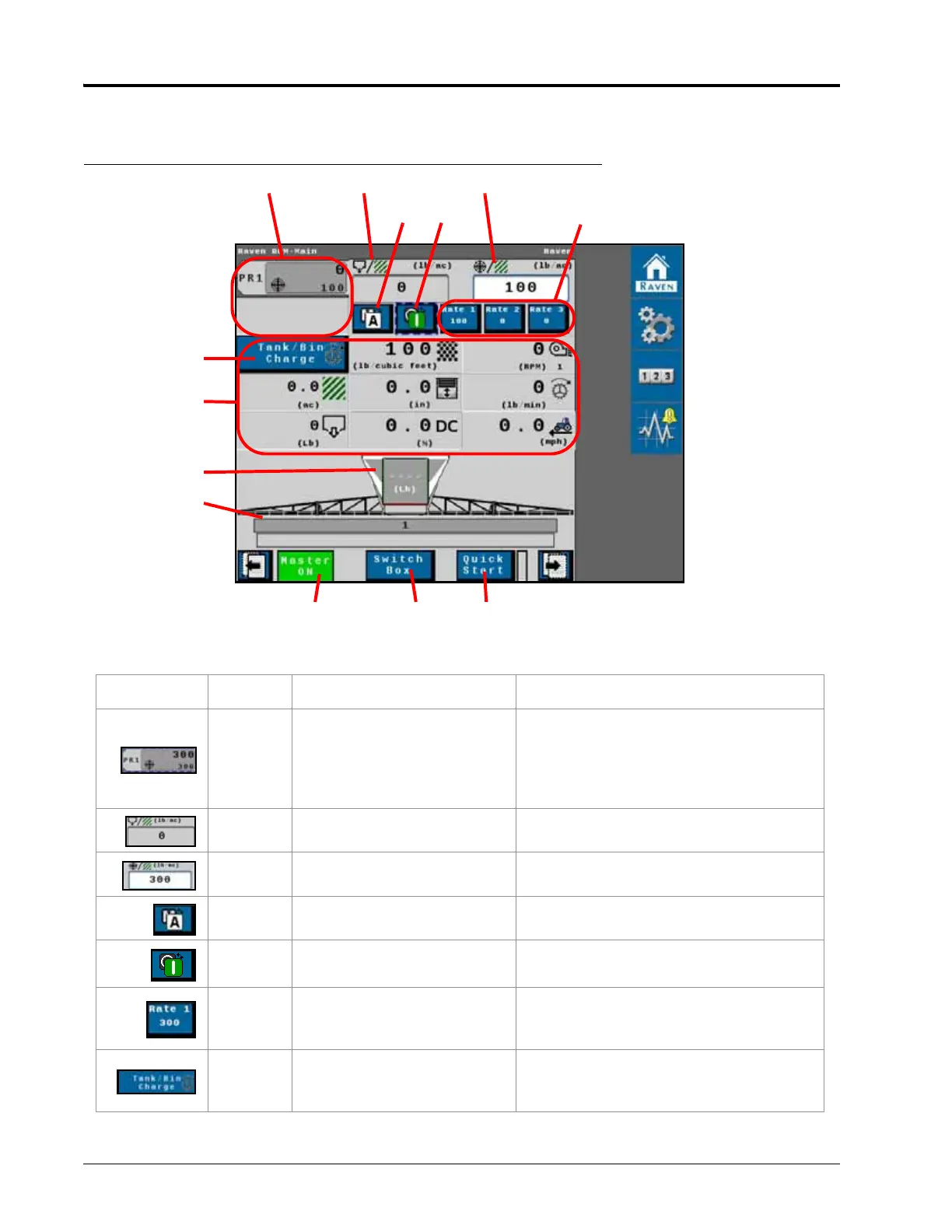
FIGURE 15. Main Spreader Page
TABLE 1.
Raven RCM Spreader Home Page Overview
Button Description Function/Operation
1. Product Tabs
Select a product tab to display the
main page for a desired product. The
readout area of the main page for each
product may be customized to the
operators preferences
2. Actual Rate Actual application rate.
3. Target Rate Target application rate.
4. Manual/Automatic Mode
Toggle manual or automatic rate
control modes.
5. Product On/Off Switch Toggle a product on or off.
6. Preset Rate Buttons
Provides the user with preset rates to
quickly change the application rate
during field applications.
7. Tank/Bin Charge
Touch and hold button to fill the space
between the gate and beaters to
“prime” the spreader.



 To Next Page