EasyManua.ls Logo

Raymarine e97 - User Manual

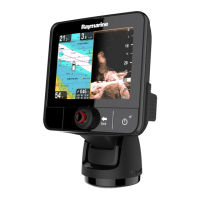
Raymarine e97
388 pages
Print Icon
To Next Page IconTo Next Page
Loading...
LightHouse™
OPERATION
INSTRUCTIONS
Release 15
English
© 2015 Raymarine UK Limited
Date: 09-2015
Document number: 81360-2-EN

Table of Contents

Other manuals for Raymarine e97

Questions and Answers

  • P
    Pamela ThomasAug 28, 2025
    Why is instrument data missing from all Raymarine Marine Equipment displays?
    • T
      Thomas ArcherAug 28, 2025
      If instrument, engine, or other system data is unavailable at all displays on your Raymarine Marine Equipment, check the data bus (e.g., SeaTalkng) wiring and connections to ensure data is being received at the display. Verify the overall integrity of the data bus (e.g., SeaTalkng) wiring. Check the source of the missing data (e.g., ST70 instrument or engine interface) to ensure it is operating. Also, check the power to the SeaTalk bus. If a software mismatch between equipment is suspected, contact Raymarine technical support.
  • K
    Karen SmithAug 28, 2025
    What to do if Raymarine Marine Equipment shows no data or scanner message?
    • T
      Tamara GreeneAug 28, 2025
      If you have no data or are receiving a 'No scanner' message on your Raymarine Marine Equipment, begin by checking the scanner power supply cable to ensure it is sound and that all connections are tight and free of corrosion. Check the relevant fuses and breakers. Ensure the power source provides the correct voltage and sufficient current, using a voltage booster if needed. Verify that the scanner is correctly connected to a Raymarine network switch or SeaTalkhs crossover coupler, as applicable, and check the status of the Raymarine network switch. Make sure SeaTalkhs/RayNet cables are free from damage and the scanner pedestal switch is in the ON position. If a software mismatch between equipment is suspected, contact Raymarine technical support.
  • W
    Wendy SmithAug 27, 2025
    Why does my Raymarine Marine Equipment show a “No Fix” GPS status?
    • J
      Jonathan HowardAug 27, 2025
      If the Raymarine Marine Equipment displays a “No Fix” GPS status icon, it could be due to several reasons. The geographic location or current conditions might be preventing a satellite fix; in this case, check periodically to see if a fix is obtained in better conditions or another geographic location. Alternatively, there may be a GPS connection fault, so ensure that external GPS connections and cabling are correct and fault free. Finally, the external GPS antenna might be poorly positioned, so ensure the GPS antenna has a clear view of the sky.
  • M
    Megan AllenSep 5, 2025
    What to do if my Raymarine Monitor touchscreen does not operate as expected?
    • N
      Nathan HillSep 5, 2025
      If the Raymarine Monitor touchscreen isn't working correctly, first ensure that the touch lock is disabled using the trackpad on the home screen. The screen requires direct contact with bare fingers to operate correctly, so remove any gloves. If problems persist, calibrate the touchscreen using the setup menus. Also, saltwater deposits on the screen can cause issues, so carefully clean and dry the screen as instructed.
  • M
    Melissa SalazarSep 8, 2025
    Why is the bearing of a target on the Raymarine Monitor radar screen incorrect?
    • D
      Diane CharlesSep 8, 2025
      If the bearing of a target on the Raymarine Monitor radar screen is incorrect, it's likely that the radar bearing alignment needs adjusting. Check and adjust the radar bearing alignment.
  • E
    Edward WellsSep 12, 2025
    Why does my Raymarine Marine GPS System say “No Fix”?
    • M
      Melvin JohnsonSep 12, 2025
      If the Raymarine Marine GPS System displays a “No Fix” GPS status icon, it could be due to geographic location or prevailing conditions preventing a satellite fix. Check periodically to see if a fix is obtained in better conditions or another geographic location. Also, ensure that external GPS connections and cabling are correct and fault free. Make sure the GPS antenna has a clear view of the sky. For installation issues, refer to the installation instructions.
  • V
    Victoria McintoshSep 14, 2025
    Why can't I control the thermal camera from my Raymarine Marine GPS System display?
    • V
      Victor SchultzSep 14, 2025
      If you cannot control the thermal camera from the Raymarine display or keyboard, ensure the thermal camera application is running on the multifunction display, not the video application.
  • J
    Jason AdamsSep 23, 2025
    How do I fix a Raymarine Marine GPS System with no depth reading?
    • D
      Dustin CastilloSep 23, 2025
      If your Raymarine Marine GPS System is showing no depth reading or has lost bottom lock, there are several potential causes. Check that the transducer has been installed in accordance with the instructions provided with it. If the transducer angle is too great, the beam can miss the bottom, so adjust the transducer angle and recheck. If the transducer has a kick-up mechanism, check that it has not kicked up due to hitting an object. With the product under load, use a multi-meter to check the power supply voltage as close to the unit as possible to establish the actual voltage when the current is flowing.
  • W
    Wendy AdamsAug 26, 2025
    Why is my Raymarine Monitor image too dark or too light?
    • J
      Julie PerezAug 26, 2025
      If the image on your Raymarine Monitor is too dark or too light, first, use the brightness controls at the display to adjust accordingly. If that doesn't solve the issue, adjust the contrast and brightness settings in the thermal camera application. Also, consider whether the Scene Mode is appropriate for the current conditions, as a different setting may improve the image.
  • P
    pauladunnAug 25, 2025
    What causes Raymarine Monitor to have problematic depth readings or sonar image?
    • M
      Michael KennedyAug 26, 2025
      Problematic depth readings or sonar images on your Raymarine Monitor can stem from several causes. Start by checking the sounder presets, gain, and frequency settings, as they may be inappropriate for the current conditions. Inspect the power supply voltage, as a low voltage can affect the unit's transmitting power. Ensure all cables (power, transducer, etc.) are properly connected and undamaged. Check that the transducer is correctly mounted, clean, and within 10° of vertical. If you have a transom-mount transducer, make sure it hasn’t been kicked up. Adjust scroll speed.

Raymarine e97 Specifications

General IconGeneral
Display Resolution800 x 480 pixels
ChartplotterYes
SonarYes
Waterproof RatingIPX6 and IPX7
Wi-FiYes
BluetoothYes
NMEA0183Yes
Radar CompatibleYes
Display TypeLCD
Power Supply12 V DC
CartographyNavionics

Related product manuals