EasyManua.ls Logo

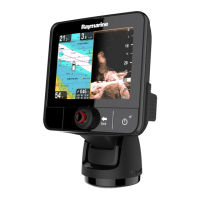
Raymarine e97 - User Manual

Raymarine e97
388 pages
Print Icon
To Next Page IconTo Next Page
Loading...
LightHouse™
OPERATION
INSTRUCTIONS
Release 15
English
© 2015 Raymarine UK Limited
Date: 09-2015
Document number: 81360-2-EN

Table of Contents

Other manuals for Raymarine e97

Questions and Answers

  • W
    Wendy AdamsAug 26, 2025
    Why is my Raymarine Monitor image too dark or too light?
    • J
      Julie PerezAug 26, 2025
      If the image on your Raymarine Monitor is too dark or too light, first, use the brightness controls at the display to adjust accordingly. If that doesn't solve the issue, adjust the contrast and brightness settings in the thermal camera application. Also, consider whether the Scene Mode is appropriate for the current conditions, as a different setting may improve the image.
  • P
    pauladunnAug 25, 2025
    What causes Raymarine Monitor to have problematic depth readings or sonar image?
    • M
      Michael KennedyAug 26, 2025
      Problematic depth readings or sonar images on your Raymarine Monitor can stem from several causes. Start by checking the sounder presets, gain, and frequency settings, as they may be inappropriate for the current conditions. Inspect the power supply voltage, as a low voltage can affect the unit's transmitting power. Ensure all cables (power, transducer, etc.) are properly connected and undamaged. Check that the transducer is correctly mounted, clean, and within 10° of vertical. If you have a transom-mount transducer, make sure it hasn’t been kicked up. Adjust scroll speed.
  • J
    James HarrisonAug 25, 2025
    How to troubleshoot Raymarine Marine Equipment that won't start?
    • B
      Brett ThomasAug 25, 2025
      If your Raymarine Marine Equipment system or part of it does not start up, there could be a power supply problem. Check the relevant fuses and breakers. Also, verify that the power supply cable is in good condition and that all connections are tight and free from corrosion. Finally, ensure that the power source provides the correct voltage and sufficient current.
  • I
    icolemanSep 4, 2025
    Why is the image upside down on my Raymarine Marine Equipment?
    • A
      Adam ThomasSep 4, 2025
      If the image on your Raymarine Marine Equipment is inverted (upside down), ensure that the Ball down setting within the thermal camera system setup menu is set correctly.
  • B
    Belinda BrownSep 7, 2025
    How to resolve Raymarine Monitor no signal message on screen (video image not displayed)?
    • C
      Courtney YoungSep 8, 2025
      If your Raymarine Monitor displays a 'No signal' message and the video image is not displayed, check that the connections are sound and free from corrosion. The problem is likely a cable or connection fault.
  • G
    George RiggsSep 7, 2025
    How to resolve Raymarine Monitor radar not initializing (Voltage control module (VCM) stuck in “sleep mode”)?
    • M
      Molly GibsonSep 7, 2025
      If the Raymarine Monitor radar won't initialize and the Voltage Control Module (VCM) is stuck in 'sleep mode', check the power connection at the VCM. Ensure the voltage at the input is 12/24V and the voltage at the output is 40V. The cause is likely an intermittent or poor power connection.
  • T
    Timothy WolfeSep 7, 2025
    Why is my Raymarine Monitor showing a 'No Fix' GPS status icon?
    • K
      Katelyn PrinceSep 7, 2025
      If your Raymarine Monitor displays a 'No Fix' GPS status icon, it could be due to your geographic location or current conditions preventing a satellite fix. Check periodically to see if a fix is obtained in better conditions or another location. Ensure that external GPS connections and cabling are correctly connected and without faults. Also, make sure the GPS antenna has a clear view of the sky.
  • L
    Laura HendricksSep 6, 2025
    How to fix 'No Data' or 'No scanner' message on Raymarine Monitor?
    • A
      Ashley CastilloSep 7, 2025
      If you're seeing a 'No Data' or 'No scanner' message on your Raymarine Monitor, begin by checking the radar scanner power supply cable for any damage, ensuring all connections are tight and free from corrosion. Verify the relevant fuses and breakers. Make sure the power source provides the correct voltage and current. Confirm the scanner is correctly connected to a Raymarine network switch or SeaTalkhs crossover coupler, and check the status of the Raymarine network switch. Also, ensure SeaTalkhs / RayNet cables are free from damage. Finally, check that the switch at the scanner pedestal is in the ON position.
  • V
    Valerie TurnerSep 6, 2025
    How to fix Raymarine Monitor display behaving erratically with frequent unexpected resets?
    • R
      Roger SchmittSep 6, 2025
      If your Raymarine Monitor display is behaving erratically with frequent resets or system crashes, the issue might be an intermittent power problem. Check the relevant fuses and breakers, and inspect the power supply cable for damage and loose, corroded connections. Also, ensure the power source provides the correct voltage and current. As a last resort, perform a factory reset.
  • K
    Kristen RiveraSep 6, 2025
    What to do if the Raymarine Monitor displays instrument, engine or other system data missing from some but not all displays?
    • S
      Stacy MorenoSep 6, 2025
      If instrument or system data is missing from some Raymarine Monitor displays, but not all, it indicates a network problem. Check that all required equipment is properly connected to the network and verify the status of the Raymarine network switch.

Raymarine e97 Specifications

General IconGeneral
Display Resolution800 x 480 pixels
ChartplotterYes
SonarYes
Waterproof RatingIPX6 and IPX7
Wi-FiYes
BluetoothYes
NMEA0183Yes
Radar CompatibleYes
Display TypeLCD
Power Supply12 V DC
CartographyNavionics

Related product manuals