EasyManua.ls Logo

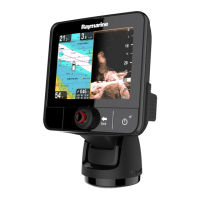
Raymarine e97 - User Manual

Raymarine e97
388 pages
Print Icon
To Next Page IconTo Next Page
Loading...
LightHouse™
OPERATION
INSTRUCTIONS
Release 15
English
© 2015 Raymarine UK Limited
Date: 09-2015
Document number: 81360-2-EN

Table of Contents

Other manuals for Raymarine e97

Questions and Answers

  • W
    Wendy SmithAug 27, 2025
    Why does my Raymarine Marine Equipment show a “No Fix” GPS status?
    • J
      Jonathan HowardAug 27, 2025
      If the Raymarine Marine Equipment displays a “No Fix” GPS status icon, it could be due to several reasons. The geographic location or current conditions might be preventing a satellite fix; in this case, check periodically to see if a fix is obtained in better conditions or another geographic location. Alternatively, there may be a GPS connection fault, so ensure that external GPS connections and cabling are correct and fault free. Finally, the external GPS antenna might be poorly positioned, so ensure the GPS antenna has a clear view of the sky.
  • K
    Kristina AllenSep 14, 2025
    Why is the touchscreen on my Raymarine Marine GPS System not working correctly?
    • S
      Shannon ShannonSep 14, 2025
      If your Raymarine Marine GPS System's touchscreen isn't working as expected, first ensure that touch lock is disabled using the Trackpad on the home screen. Make sure you're using bare fingers on the screen. Calibrate the touchscreen via the setup menus. Clean and dry the screen carefully if there are saltwater deposits.
  • P
    Pamela ThomasAug 28, 2025
    Why is instrument data missing from all Raymarine Marine Equipment displays?
    • T
      Thomas ArcherAug 28, 2025
      If instrument, engine, or other system data is unavailable at all displays on your Raymarine Marine Equipment, check the data bus (e.g., SeaTalkng) wiring and connections to ensure data is being received at the display. Verify the overall integrity of the data bus (e.g., SeaTalkng) wiring. Check the source of the missing data (e.g., ST70 instrument or engine interface) to ensure it is operating. Also, check the power to the SeaTalk bus. If a software mismatch between equipment is suspected, contact Raymarine technical support.
  • L
    Lisa JeffersonAug 28, 2025
    What causes Raymarine Marine Equipment radar to not initialize?
    • M
      Michelle ThomasAug 29, 2025
      If the radar on your Raymarine Marine Equipment will not initialize and the Voltage Control Module (VCM) is stuck in “sleep mode”, check the power connection at the VCM. Ensure the voltage at the input is 12/24V and the voltage at the output is 40V. The issue could be due to an intermittent or poor power connection.
  • M
    Mark AndradeNov 23, 2025
    Why are data readings on my Raymarine Marine Equipment problematic?
    • J
      Joanna LaraNov 24, 2025
      If you are experiencing problematic data readings on your Raymarine Marine Equipment, check the sonar presets, gain, and frequency settings, as they may be inappropriate for the present conditions. Verify the voltage from the power supply, as a low voltage can affect the transmitting power of the unit. Ensure that the power, transducer, and all other cables to the unit are properly connected and free from damage. Check that the transducer is mounted correctly and is clean. If you have a transom mount transducer, check that the transducer hasn't kicked-up due to hitting an object. Adjust the scroll speed. Note that fish arches are not displayed if the vessel is stationary; fish will appear as straight lines. Turbulence around the transducer due to high vessel speed may also be confusing the...
  • M
    matthewtrujilloSep 17, 2025
    Why can't I switch between thermal and visible video on my Raymarine Marine GPS System?
    • C
      Christine SanfordSep 18, 2025
      If you cannot switch between thermal and visible (VIS / IR) video image on your Raymarine Marine GPS System, it may be because the camera is not a dual payload model. Only dual payload (dual lens) thermal cameras support VIS / IR switching. Also, ensure that the VIS / IR cable is connected from the camera to the Raymarine system.
  • J
    Jill DunnSep 12, 2025
    Why is the image inverted (upside down) on my Raymarine Monitor?
    • E
      Edward CampbellSep 12, 2025
      If the image on your Raymarine Monitor is inverted (upside down), ensure that the Ball down setting within the thermal camera system setup menu is set correctly.
  • J
    Jeffrey WoodSep 9, 2025
    What to do if I cannot control thermal camera from Raymarine Monitor display or keyboard?
    • J
      Jennifer WilkinsSep 9, 2025
      If you cannot control the thermal camera from the Raymarine display or keyboard, make sure that the thermal camera application is running on the multifunction display, as opposed to the video application which does not have camera controls.
  • W
    webbkatherineAug 30, 2025
    How to fix incorrect radar bearing on Raymarine Marine Equipment?
    • B
      Benjamin WilsonAug 30, 2025
      If the radar bearing of a target on the Raymarine Marine Equipment screen is incorrect, check and adjust the radar bearing alignment.
  • J
    Jasmin WilsonAug 31, 2025
    Why does my Raymarine Marine Equipment display behave erratically?
    • L
      lacey57Aug 31, 2025
      If your Raymarine Marine Equipment display behaves erratically with frequent unexpected resets, system crashes, or other erratic behavior, check the relevant fuses and breakers. Ensure that the power supply cable is sound and that all connections are tight and free from corrosion. Also, verify that the power source provides the correct voltage and sufficient current. You may need to perform a factory reset. For software issues, go to www.raymarine.com and click on support for the latest software downloads.

Raymarine e97 Specifications

General IconGeneral
Display Resolution800 x 480 pixels
ChartplotterYes
SonarYes
Waterproof RatingIPX6 and IPX7
Wi-FiYes
BluetoothYes
NMEA0183Yes
Radar CompatibleYes
Display TypeLCD
Power Supply12 V DC
CartographyNavionics

Related product manuals