EasyManua.ls Logo

Raymarine e97 - User Manual

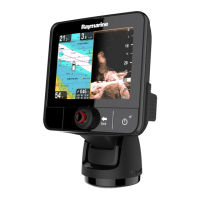
Raymarine e97
388 pages
Print Icon
To Next Page IconTo Next Page
Loading...
LightHouse™
OPERATION
INSTRUCTIONS
Release 15
English
© 2015 Raymarine UK Limited
Date: 09-2015
Document number: 81360-2-EN

Table of Contents

Other manuals for Raymarine e97

Questions and Answers

  • A
    Alan MorrisSep 2, 2025
    How to fix weak Bluetooth signal on Raymarine Marine Equipment?
    • B
      blairronaldSep 2, 2025
      If you are experiencing a weak or intermittent Bluetooth signal with your Raymarine Marine Equipment, temporarily disable each wireless device in turn until you have identified the device causing the interference.
  • M
    Mary MoralesSep 1, 2025
    Why is my Raymarine Marine Equipment showing the wrong speed?
    • E
      ejohnsonSep 1, 2025
      If you're getting an incorrect speed reading (DST) on your Raymarine Marine Equipment, check that the paddle wheel is clean. Add a speed offset if no speed offset is currently set. Re-calibrate the equipment. If the transducer does not have a speed element, install a transducer with a speed element to enable speed readings.
  • C
    charlesthompsonSep 1, 2025
    Why can't I switch between VIS/IR video on my Raymarine Marine Equipment?
    • J
      John MarksSep 1, 2025
      If you cannot switch between thermal and visible (VIS/IR) video images on your Raymarine Marine Equipment, only 'dual payload' (dual lens) thermal cameras support VIS/IR switching. Ensure that the VIS/IR cable is connected from the camera to the Raymarine system.

Raymarine e97 Specifications

General IconGeneral
Display Resolution800 x 480 pixels
ChartplotterYes
SonarYes
Waterproof RatingIPX6 and IPX7
Wi-FiYes
BluetoothYes
NMEA0183Yes
Radar CompatibleYes
Display TypeLCD
Power Supply12 V DC
CartographyNavionics

Related product manuals