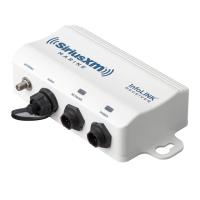
SiriusXM SR200 InfoLINK Receiver Installation Guide
11
The following is the pin and wire identification for the Power Cable provided with the InfoLINK Receiver.
Power
Connector
Pin Description
Wire
Color
Description
1
2
3
1 Battery + (Switched) Red Battery + (Switched)
2 Ground - Black Ground -
3 RF Shield Ground White RF Shield Ground
The following is the pin and connector identification for the Audio Cable provided with the InfoLINK Receiver.
Audio
Connector
Pin Description
Connector
Color
Description
14
2
3
1
Left Audio +
Red Right Stereo Audio
2
Left Audio –
3
Right Audio –
White Left Stereo Audio
4
Right Audio +


 To Next Page
 Loading...