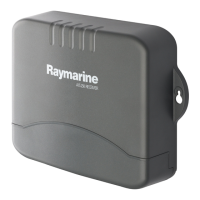
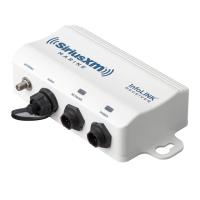
SiriusXM SR200 InfoLINK Receiver Installation Guide
7
Multifunction display hardware and software compatibility
For compatibility information visit raymarine.com/weather.
Installation Overview
Shown at right is a typical installation
overview for the InfoLINK Receiver in a
Raymarine
®
system.
The InfoLINK Receiver can be
connected directly to a Raymarine
Multifunction Display, or if other
Raymarine components are installed,
the InfoLINK Receiver can be
connected to a Raymarine Network
Switch as shown.
The audio connection is optional and
is used if you subscribe to a SiriusXM
music and entertainment package
in addition to the SiriusXM Marine
subscription package.
ANTENNA AUDIO
MARINE
NETWORK
RECEIVER
POWER
InfoLINK
ANTENNA
to SMB
ADAPTER
Switched
Circuit
RF Ground Point
(If none then connect
to chassis/battery
ground)
RedWhite
AUDIO
CABLE
ANTENNA
CABLE
POWER
CABLE
NETWORK CABLE
Black
NETWORK SWITCH
RECEIVER
AUX
Input
BATTERY
STEREO


 To Next Page
 Loading...