3.
DRIVER INSTALLATION!
Windows® XP / x64 / Vista / Vista64 Installation Instructions
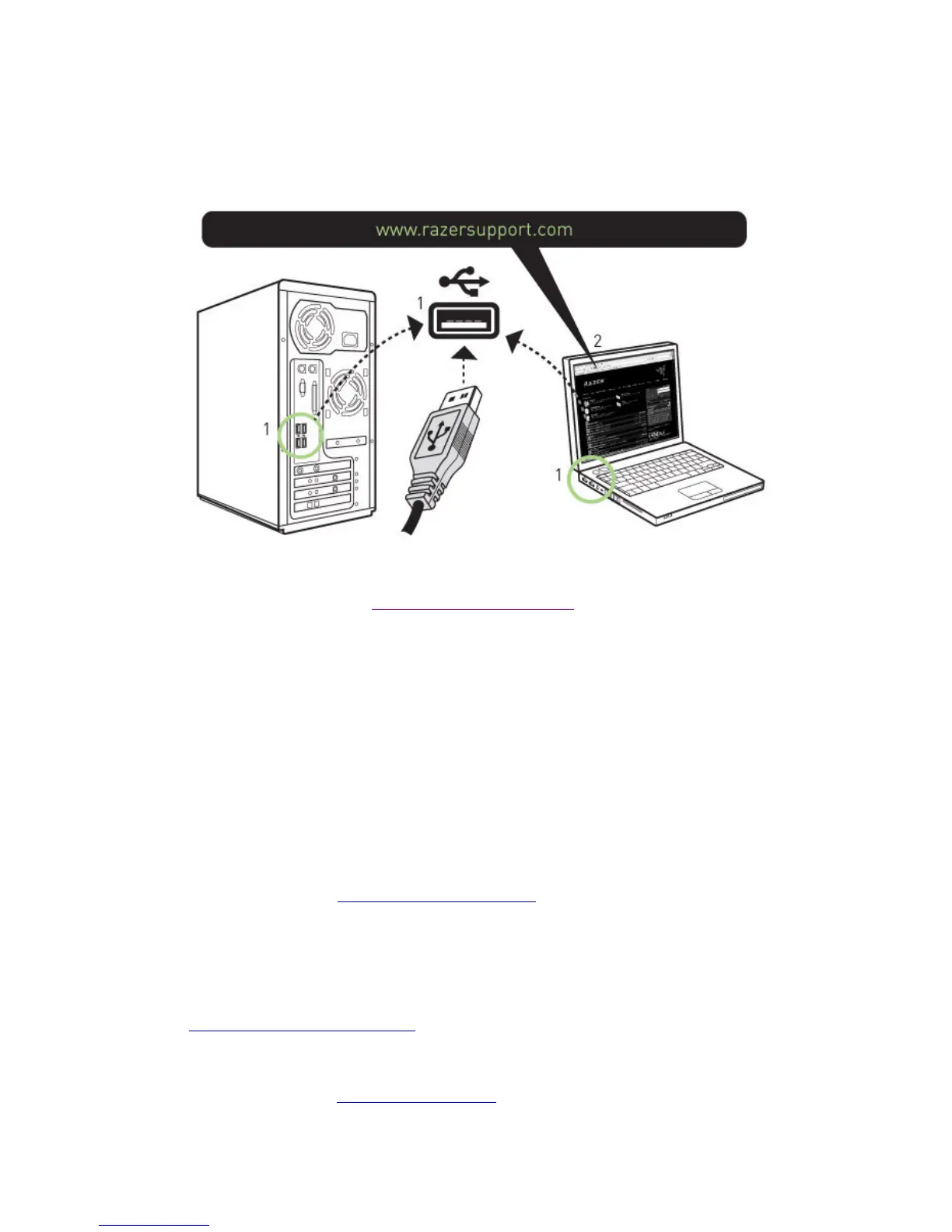
1. Plug mouse into the USB port of your computer.
2. Download the Driver Installer from http://www.razersupport.com/
.
3. Run the installer.
4. The Razer Abyssus setup screen appears. Click NEXT.
5. Read the license agreement. Click YES if you accept all terms of the agreement.
6. Select the destination folder where the driver software will reside. Click NEXT.
7. Select the program folder for the Razer menu. Click NEXT.
8. Review your settings. Click NEXT and installation will begin.
9. At the end of the installation, follow the instructions onscreen to restart your computer. Click FINISH.
CONNECTING YOUR RAZER ABYSSUS™
1 Plug mouse into the USB port of your computer.
2 Download the driver Installer at http://www.razersupport.com
3 Run the installer program.
4 Follow the onscreen instructions.
Registering your Razer Abyssus
Please visit www.razerzone.com/registration/
for online product registration.
What you’ll get:
• 2 years limited manufacturer’s warranty
• Free online technical support at www.razersupport.com
.













 To Next Page