5. USING YOUR RAZER ABYSSUS
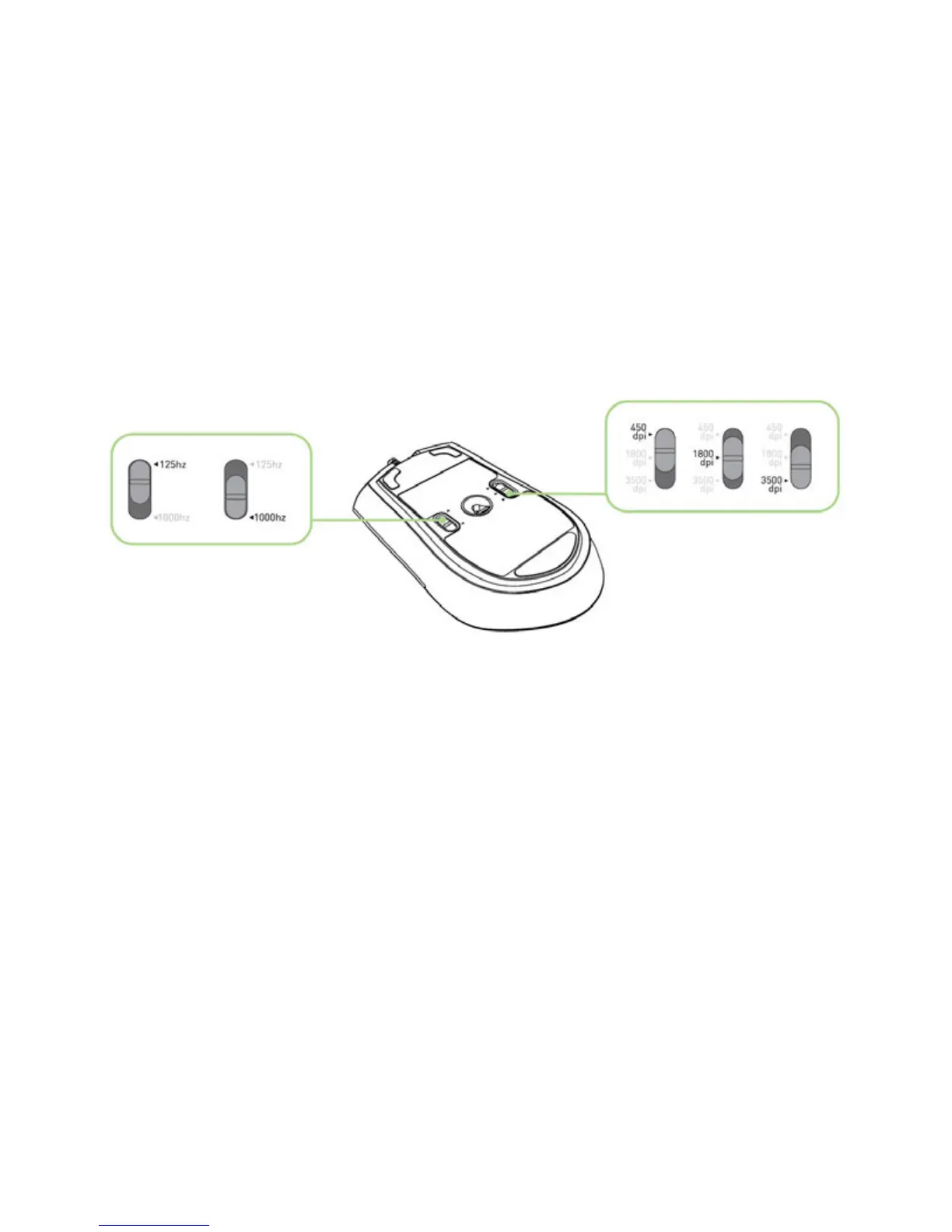
Switching DPI
You can switch between 450, 1800 and 3500 dpi by actuating the mechanical DPI switch.
Switching Polling Rate
You can switch between 125Hz and 1000Hz by actuating the mechanical DPI switch.
Creating Macros
A macro is a short sequence of keystrokes. You can create a macro by following the instructions below.
1. Load the Razer software driver.
2. Choose a mouse button and select “Advanced” from its dropdown menu.
3. Type in the desired sequence of keystrokes. You can also include “On-The-Fly Sensitivity” in addition \
to the macro.
4. Click APPLY when done.













 To Next Page