7. Follow the calibration process as instructed to configure the display to your preference.
Updating Microsoft OS
It is important to keep your Microsoft OS updated to ensure that you can receive the latest software
updates for your system.
Follow the steps below to check for updates on your Windows 10 Razer Book 13″ (2020):
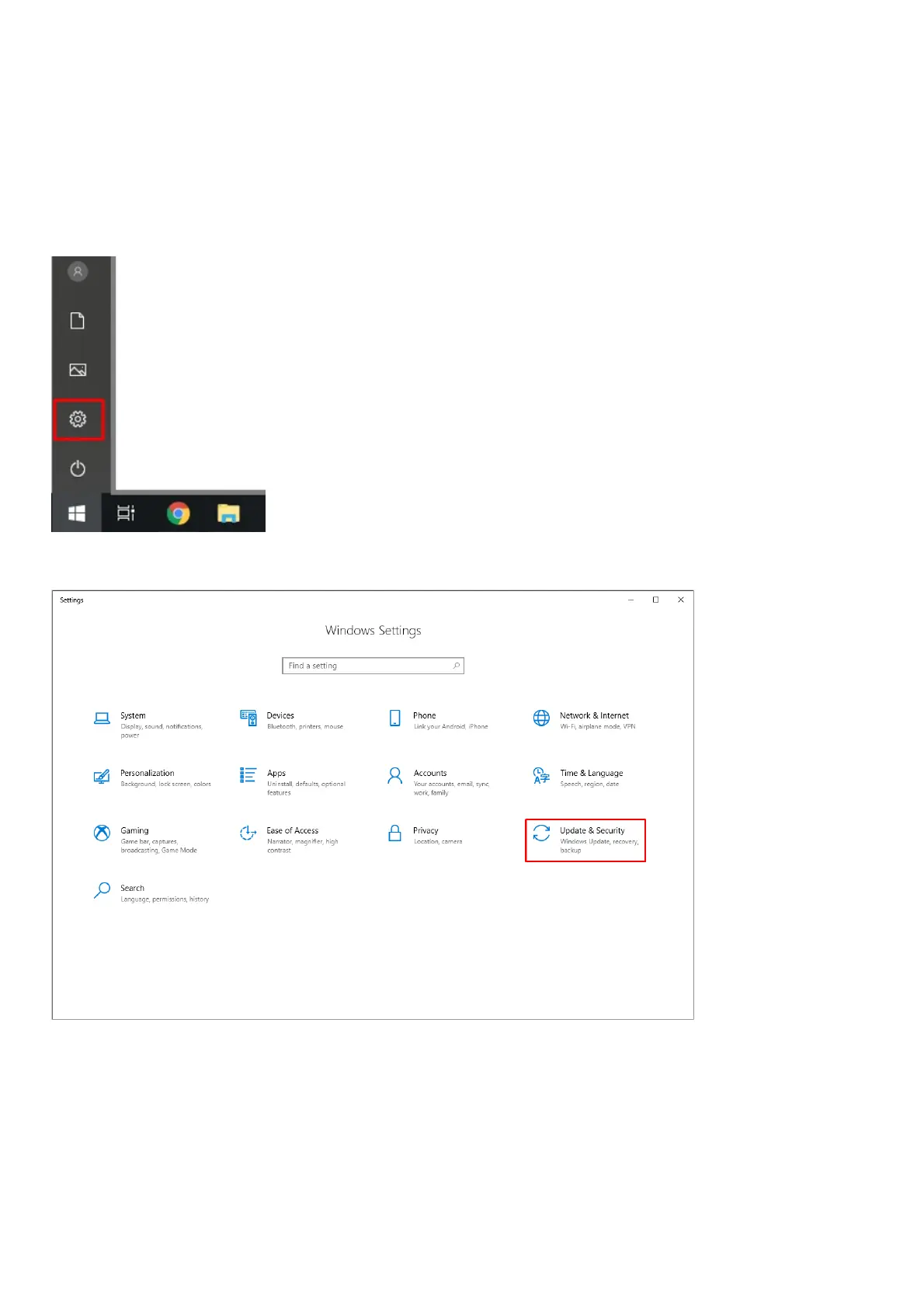
1. Click the “Start” button, and then go to “Settings”.
2. Select “Update & Security”.
3. Select “Windows Update”, and click “Check for updates”.



 To Next Page