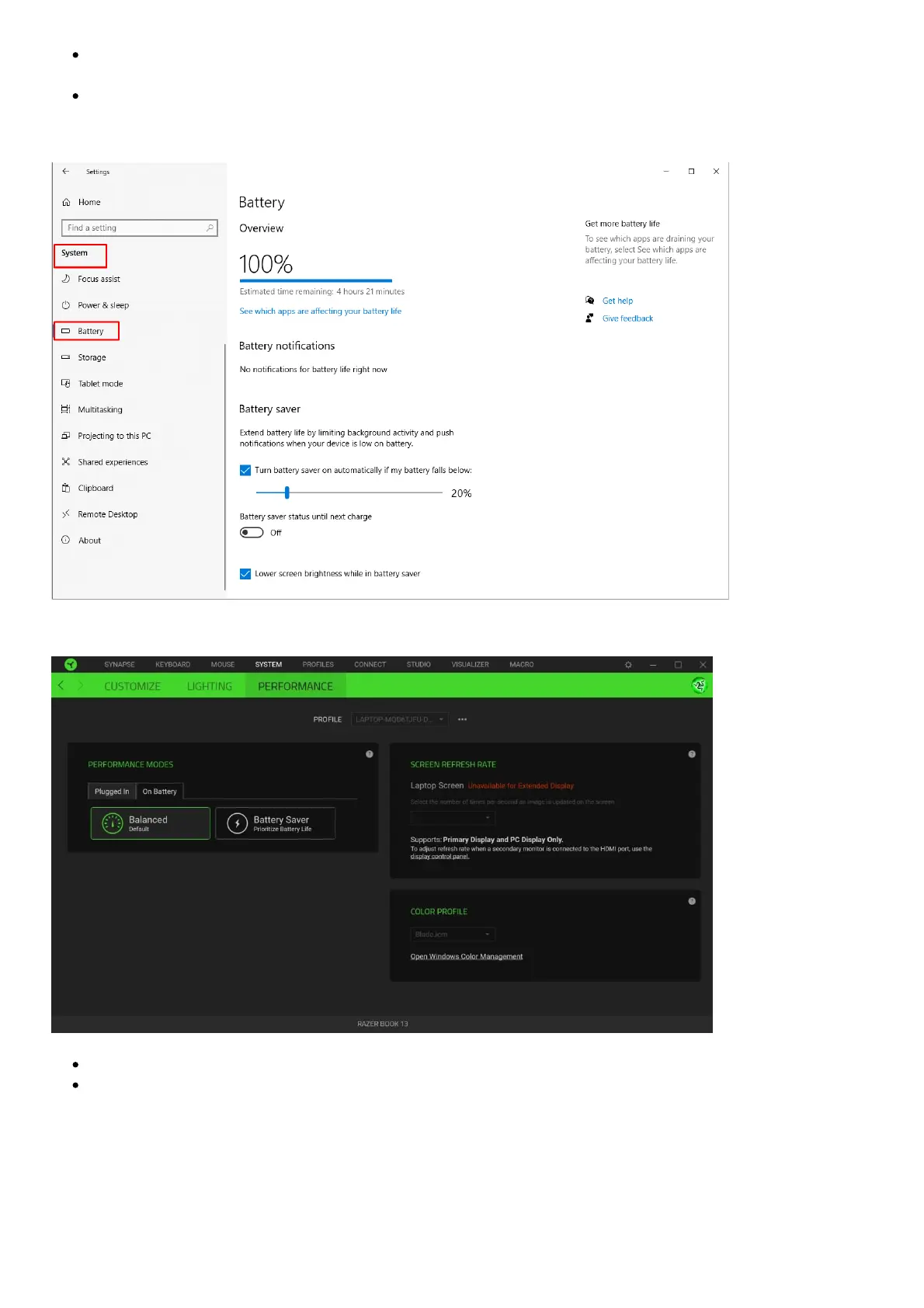
Check the “Battery Saver” settings for the most effective means of conserving battery when on-
the-go.
The battery life may be extended further by turning down the display brightness, adjusting the
power settings in Windows Setting > System > Battery, and adjust the power configuration to
your liking.
Changing the performance mode in Synapse 3
lose applications when not in use.
Dim or turn off the keyboard lighting.
Can you charge the laptop from both of the USB-C ports on the Razer Book 13”
(2020)?
Yes, you can charge the laptop using the included 65W power adapter on both the Thunderbolt™ 3
and USB-C port of the Razer Book 13″ (2020).



 To Next Page