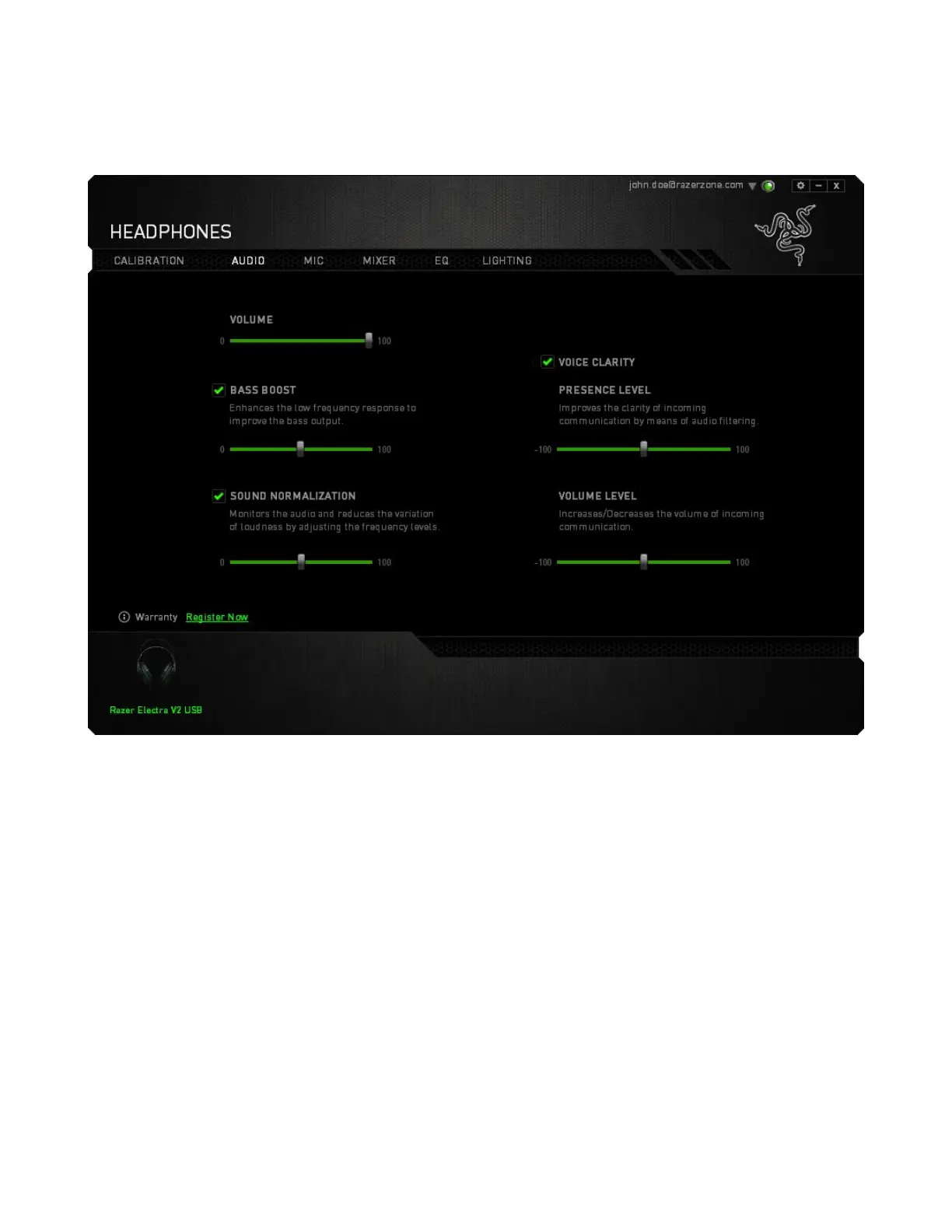
AUDIO TAB
The Audio Tab lets you control various options related to the audio you hear from your headset.
Using the various sliders, you can:
▪ Adjust the overall volume of your headset
▪ Improve the bass output of your headset
▪ Normalize the loudness of audio played to avoid sudden and unpleasant increase in volume
from effects such as explosions.
▪ Enable voice clarity adjustments to improve the quality of incoming voice conversations. Voice
Clarity adjustments includes both clarity (Presence Level) and volume (Volume Level) of
incoming voice conversations.










 To Next Page