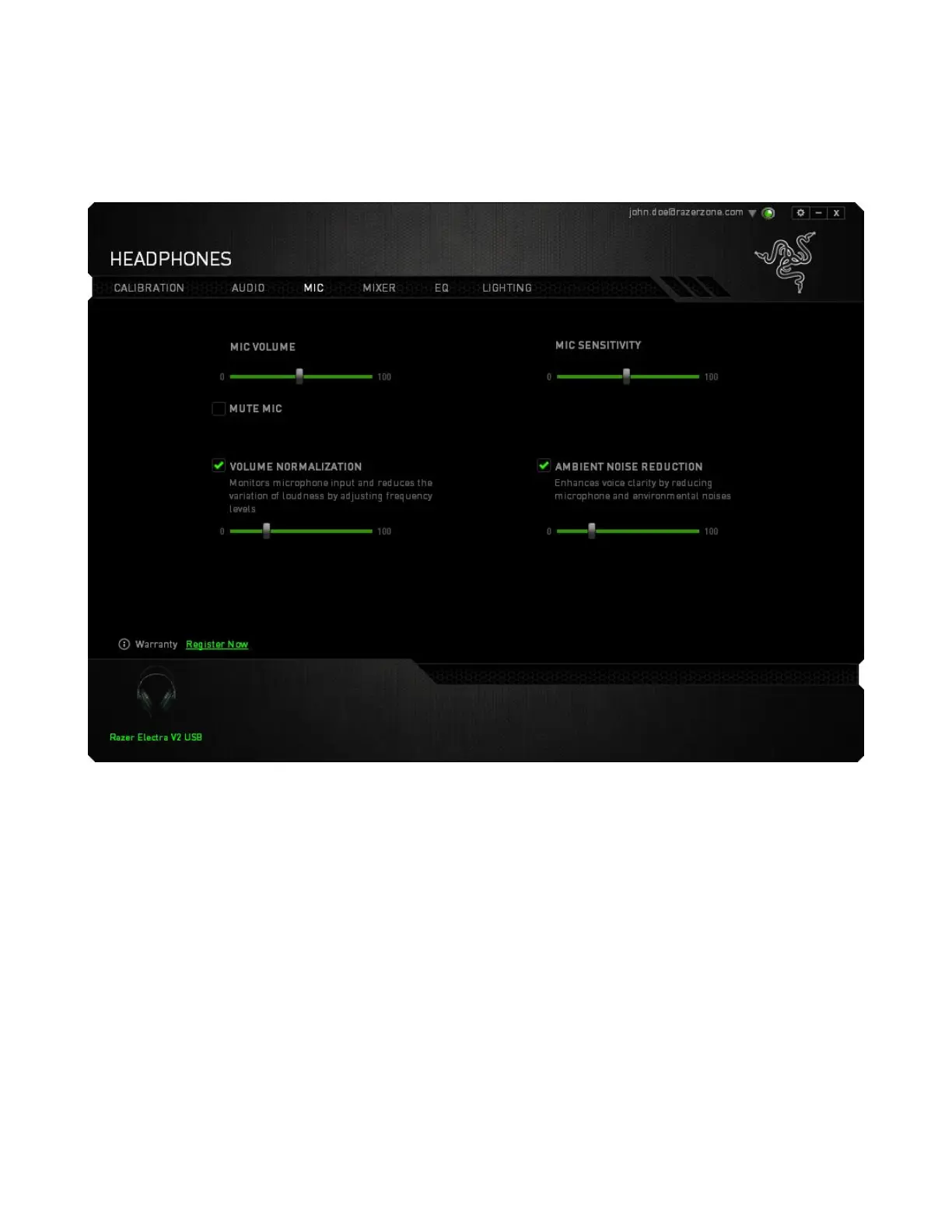
MIC TAB
The Mic Tab lets you control various options related to how your headset handles voice input via its
microphone.
Using the various sliders and options you can:
▪ Adjust the microphone input volume. You can also choose to mute your microphone.
▪ Hear the sounds that passes through your mic using the mic monitoring feature.
▪ Adjust volume normalization level for microphone input
▪ Adjust the microphone’s sensitivity so it cuts out background noises and only picks up your
voice.
▪ Enhance the clarity of microphone input by activating noise cancellation and reducing ambient
noise.








 To Next Page