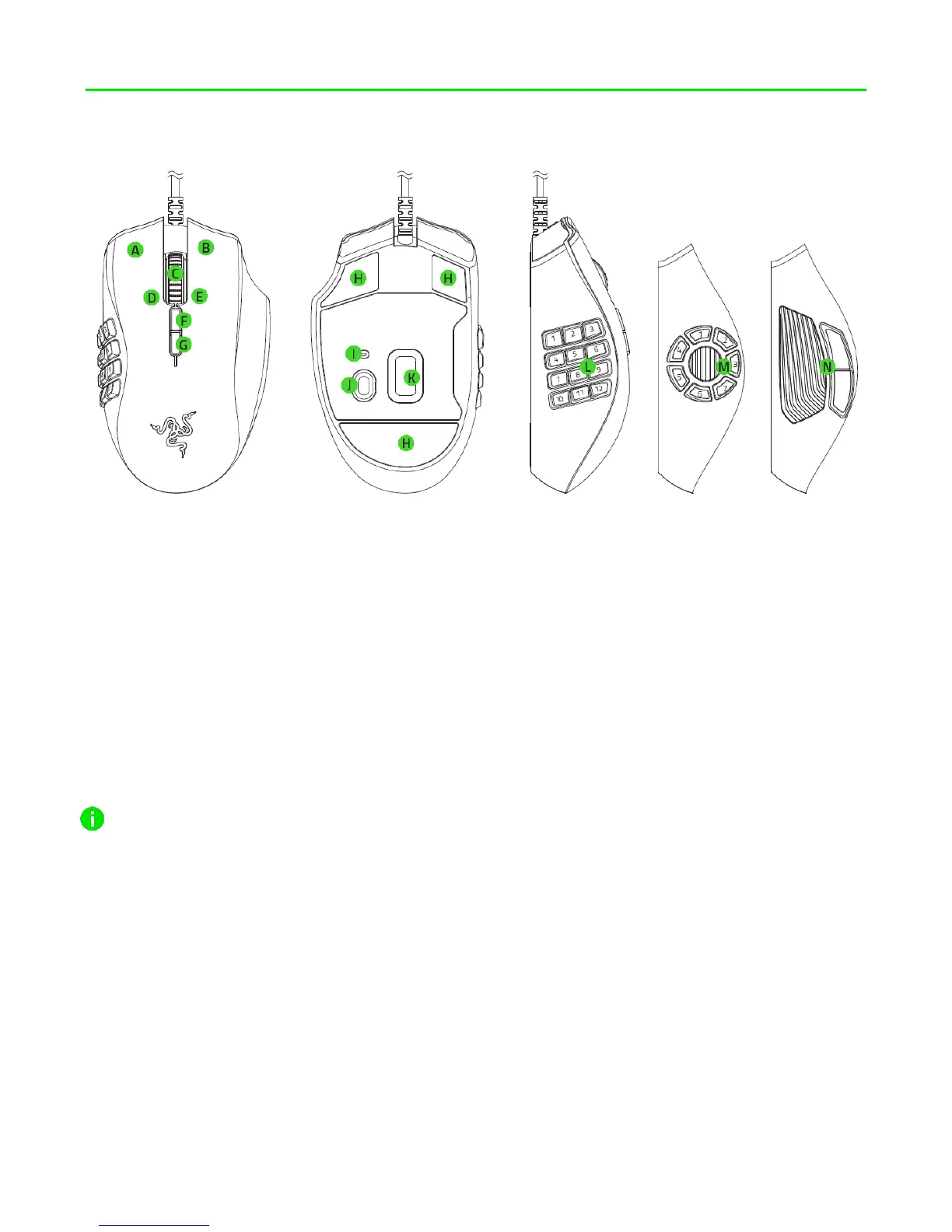
4. DEVICE LAYOUT
A. Left mouse button
B. Right mouse button
C. Scroll wheel
D. Right tilt-click —repeat scroll down
E. Left tilt-click —repeat scroll up
F. DPI stage up
G. DPI stage down
H. Ultraslick mouse feet
I. Profile indicator
J. Profile button
K. True 16,000 DPI 5G optical sensor
L. 12-button side plate
M. 7-button side plate
N. 2-button side plate
Default DPI stages are as follows: 800, 1800, 4500, 9000, and 16000. The DPI stages can
be customized using Razer Synapse 3.















 To Next Page